Demonstration Construction industry CBA compliance pre-check
A ready-to-use example and a nine-step walkthrough to see the pre-check in action: three mock employees, quantified variances, unverifiable items and a printable report. Takes about ten minutes.
The mock example
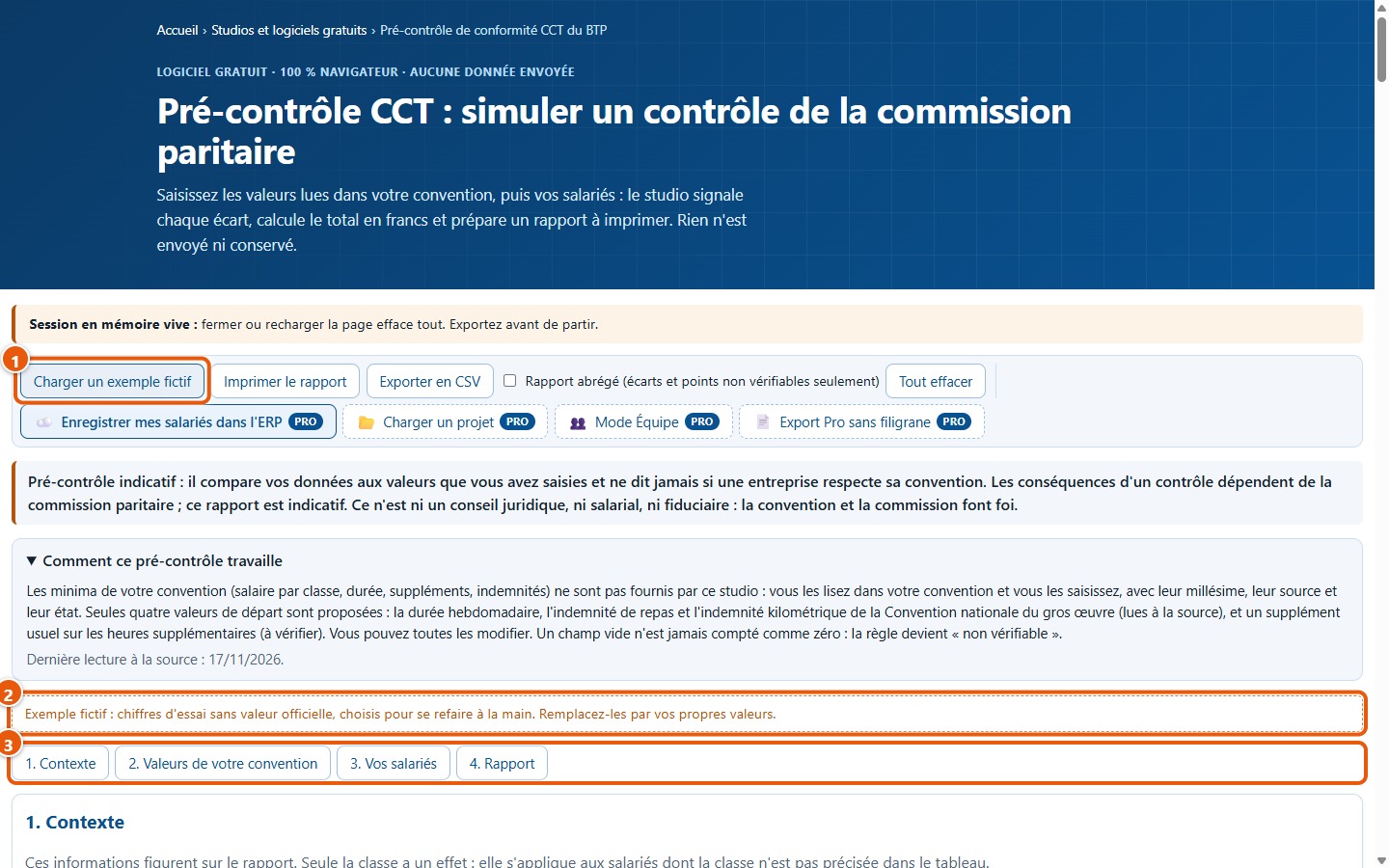
The example includes three fictional employees (Exemple 1, Exemple 2 and Exemple 3), minimum wages by category and values chosen so every calculation can be checked by hand. No figure is official. Open the studio, then click on Charger un exemple fictif.
The nine-step walkthrough
1Load the example
Click on Charger un exemple fictif (1). The context, minimum wages, values and three employees are populated; a note (2) indicates that the figures are fictional.
2Review the collective agreement values
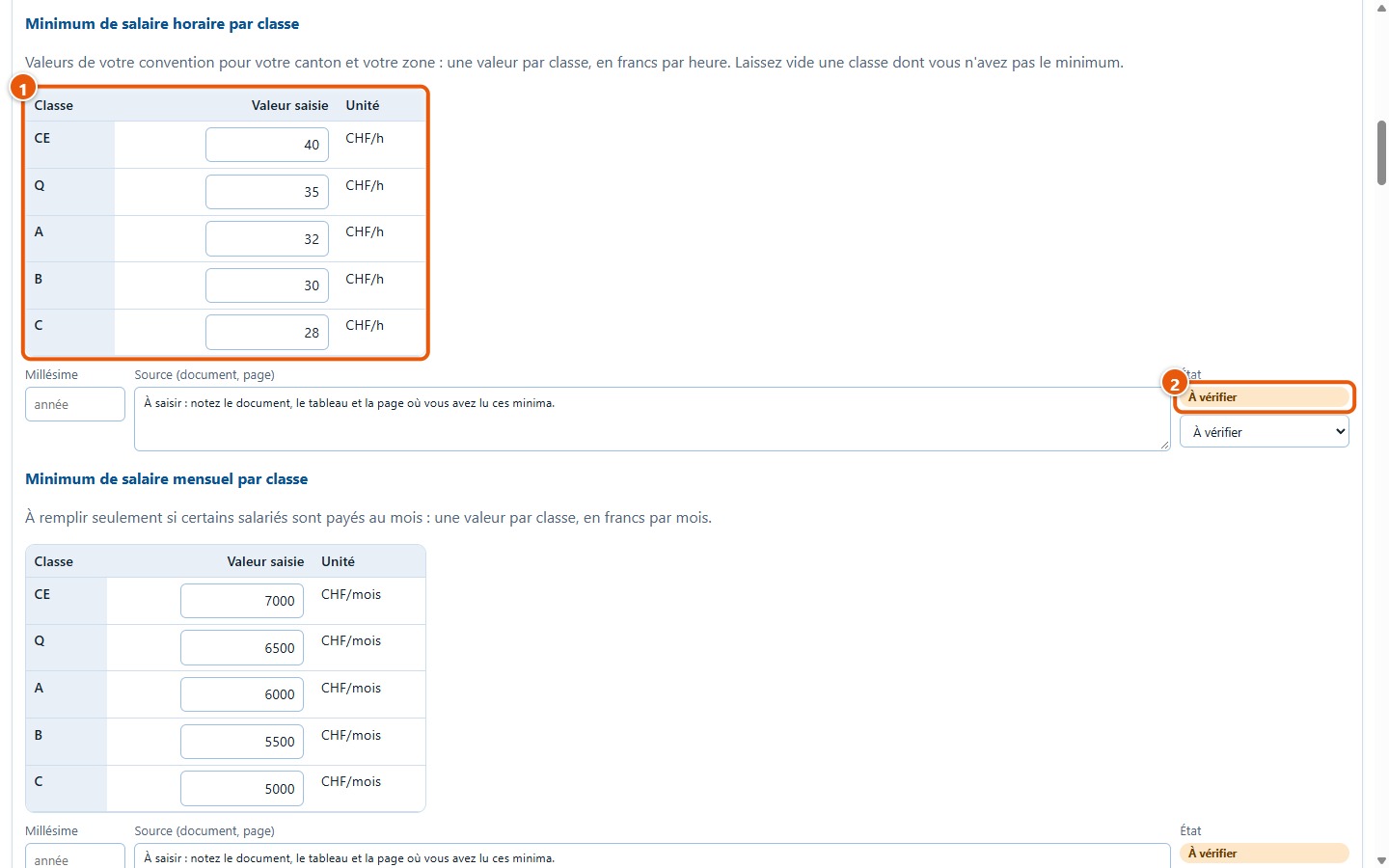
In step 2. Valeurs de votre convention, the example hourly minima are 40, 35, 32, 30 and 28 francs for categories CE, Q, A, B and C (1): they are fictional. Their status is « À vérifier » (2), as no one has audited them. Monthly minima are also populated.
3Review the three employees
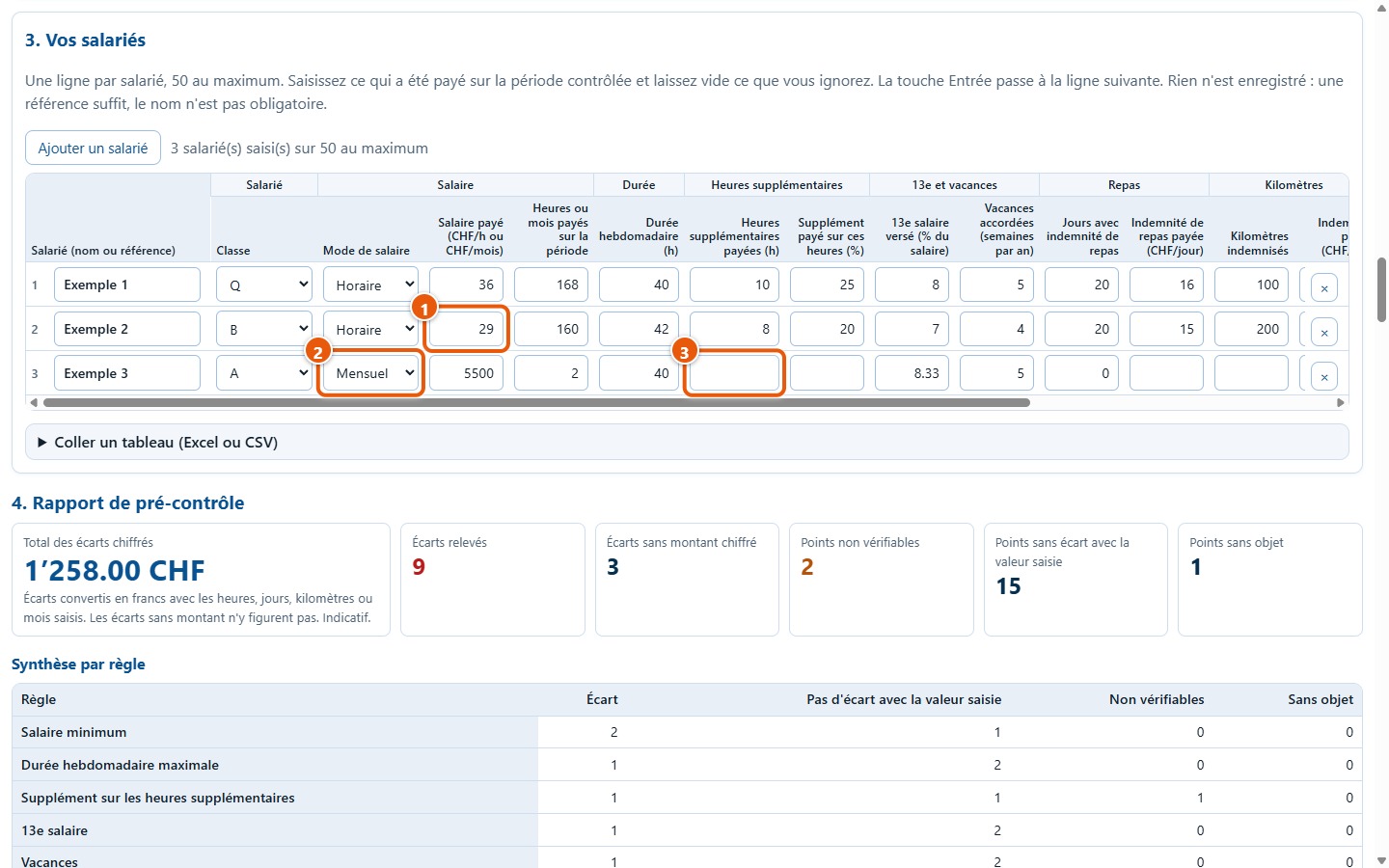
Exemple 1 is at or above the minimum across all items. Exemple 2, in category B, is paid 29 francs per hour whilst the entered minimum is 30 (1). Exemple 3 is paid monthly (2) and has no value for overtime (3): this empty cell will leave this item unverifiable.
4Read the total
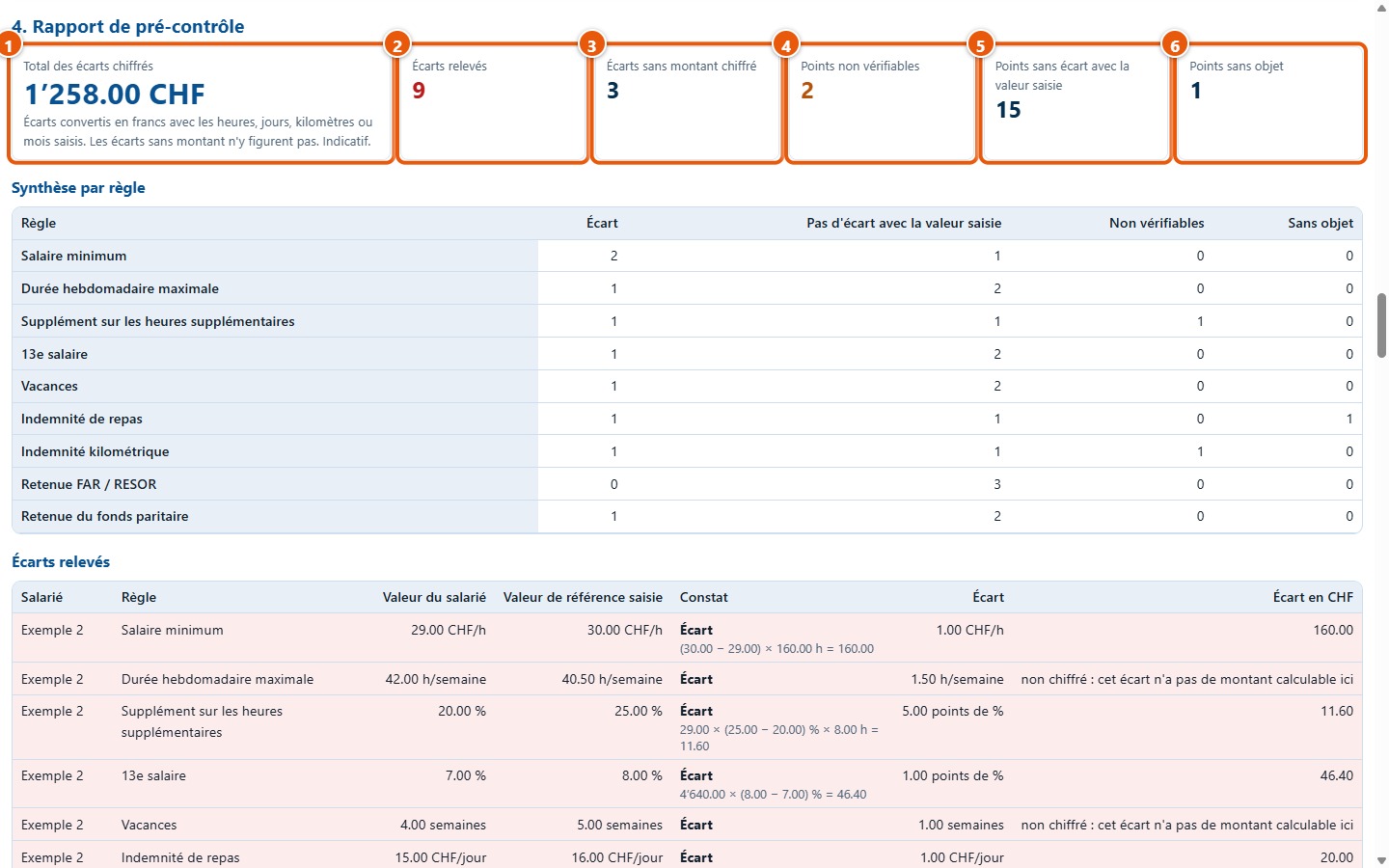
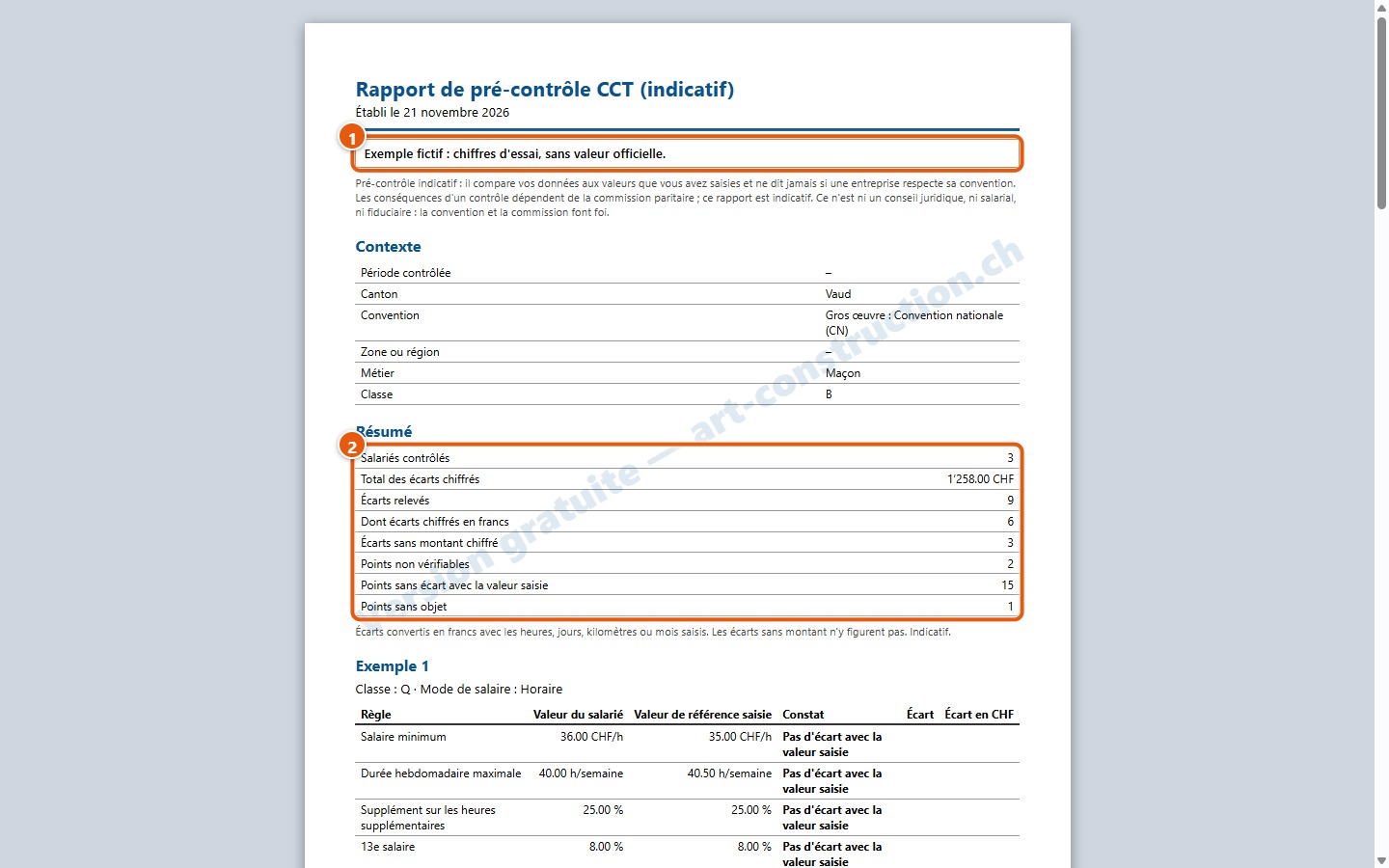
The total of quantified variances is CHF 1’258.00 across 9 variances, including 3 without an amount, with 2 unverifiable items, 15 items with no variance and 1 non-applicable item. You can recalculate it by hand: 160 + 11.60 + 46.40 + 20 + 20 + 1 000.
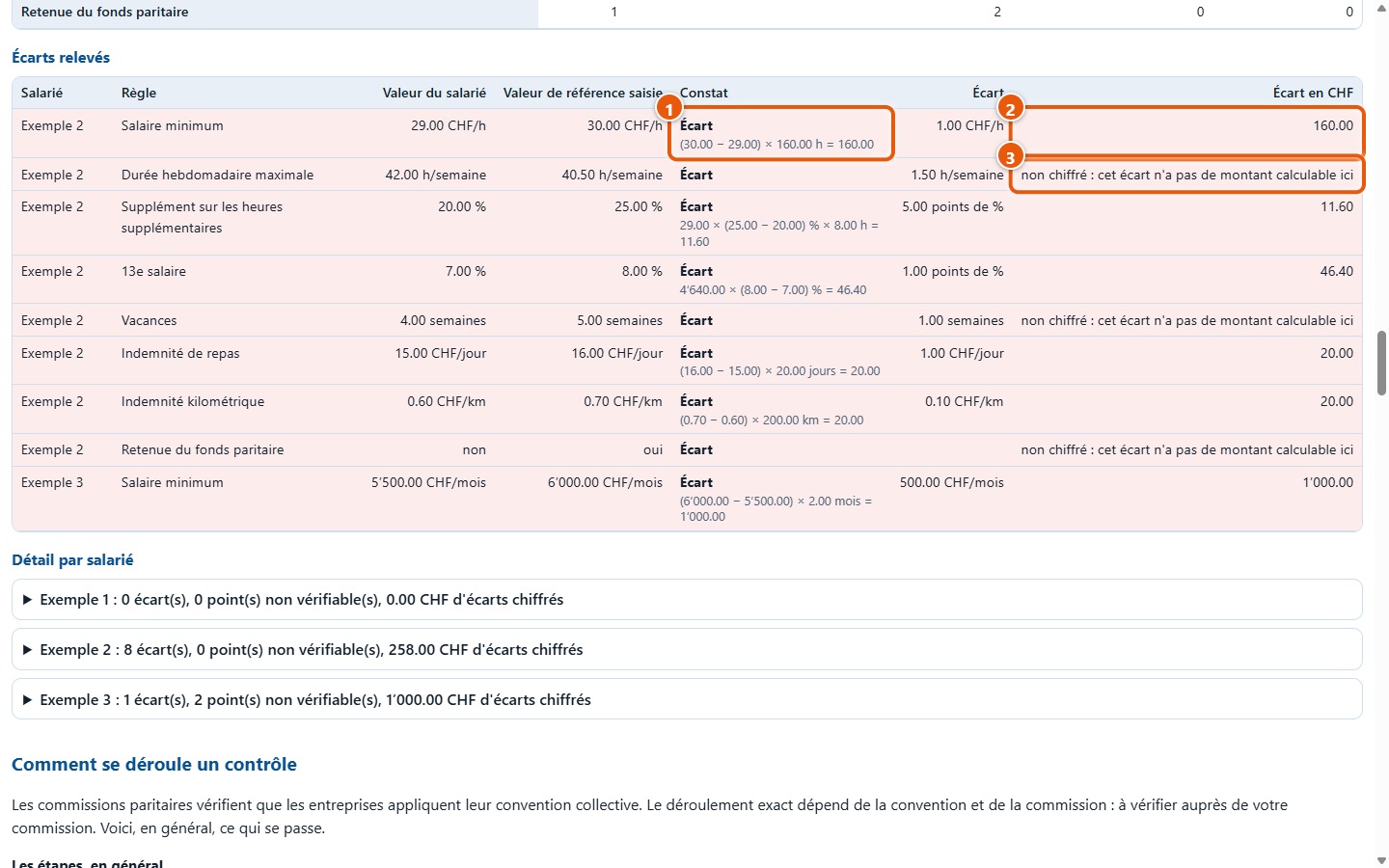
5Review variances for Exemple 2
Exemple 2 has eight variances: wage (160.00), hours (no amount), overtime supplement (11.60), 13th-month wage (46.40), holidays (no amount), meal allowance (20.00), mileage allowance (20.00) and the joint fund deduction, not deducted (no amount). Total: CHF 258.00.
6Review Exemple 3
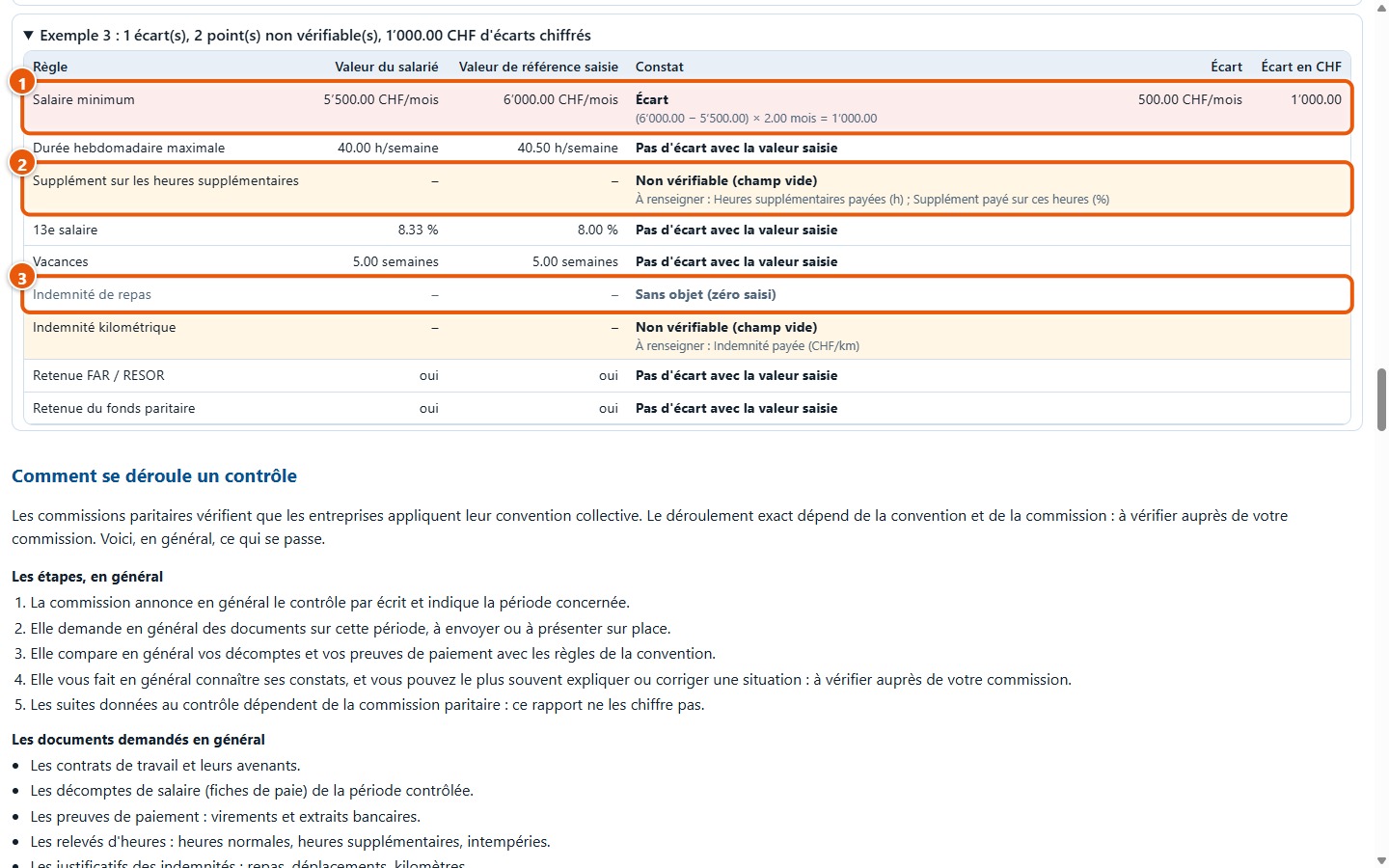
Open the details for Exemple 3. His monthly wage of 5'500 is below the monthly minimum of 6'000 (1): (6'000 − 5'500) × 2 months = 1'000.00. Overtime and mileage are « non vérifiables », as the cells are blank (2); meals are « sans objet », as zero days were entered (3).
7Adjust a wage and see the total update
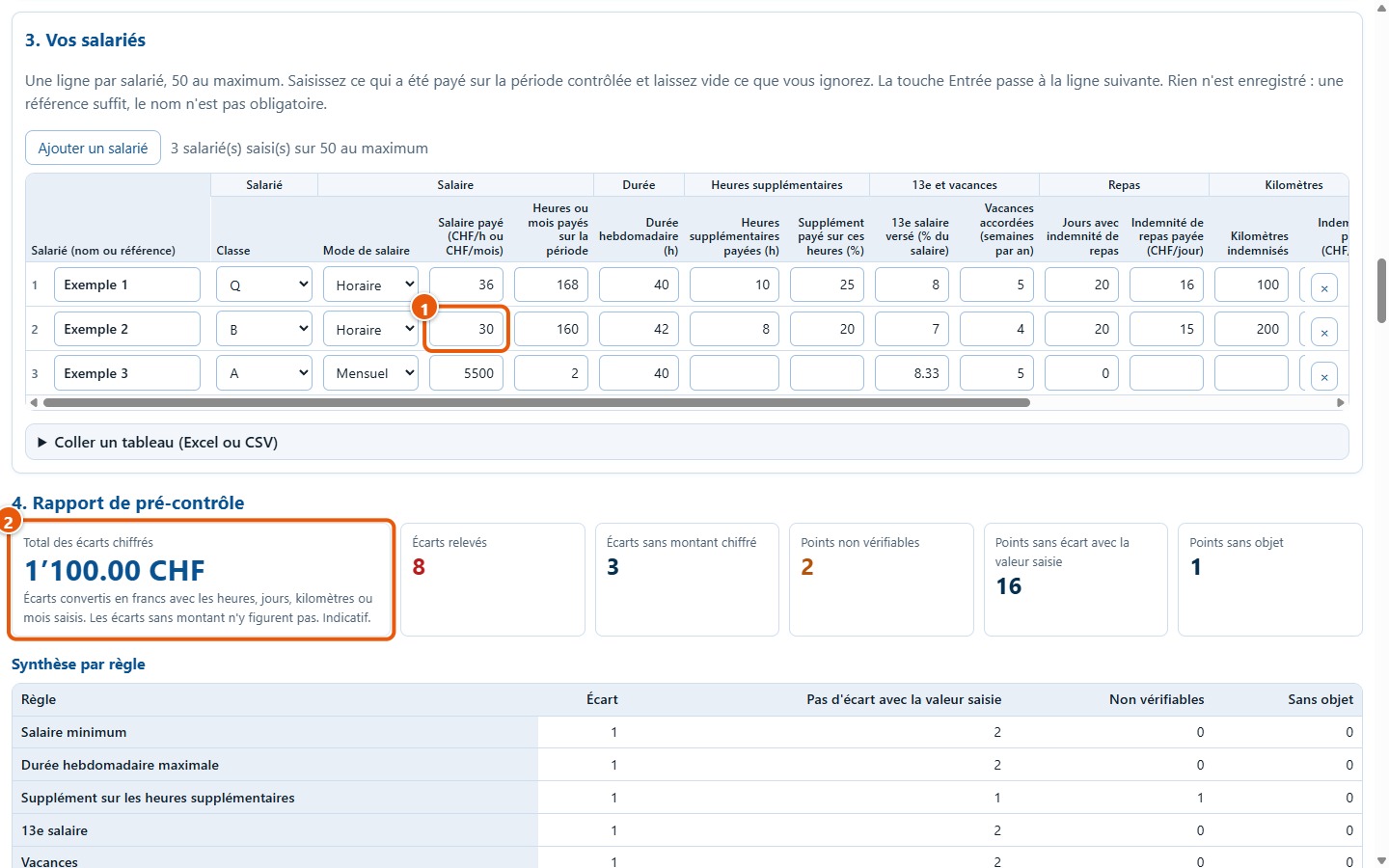
Change the wage of Exemple 2 from 29 to 30 (1): the wage variance clears and the total updates to CHF 1’100.00 (2). It does not drop by exactly 160: the supplement (12.00) and the 13th-month wage (48.00) are now calculated on the new wage.
8Print the report
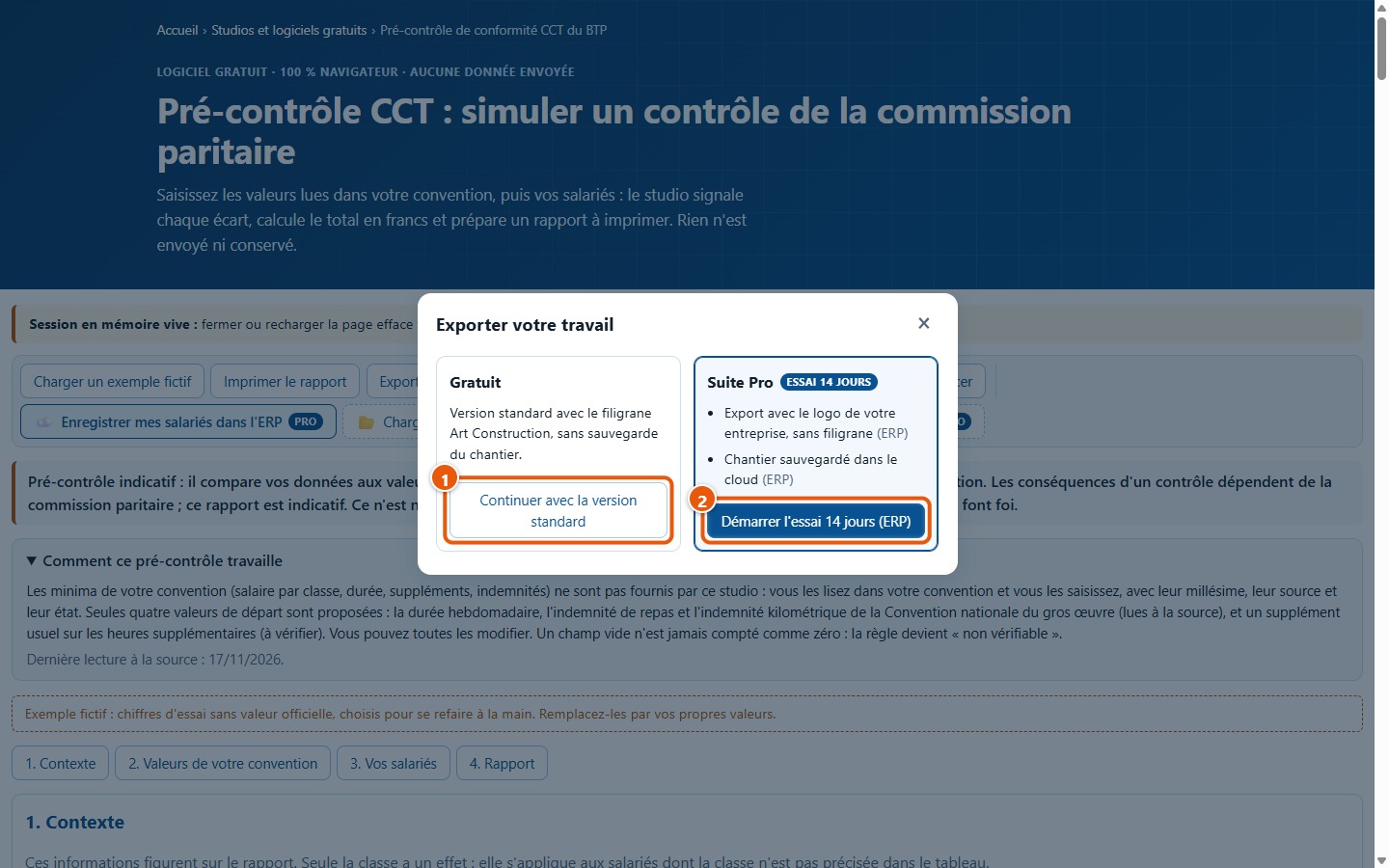
Click on Imprimer le rapport, then on Continuer avec la version standard: your browser's print dialogue opens. The sheet displays the mock example note (1), the context, the summary (2) and a table per employee; a watermark runs across the page.
9Export to CSV
Click on Exporter en CSV, then on Continuer avec la version standard (1): the precontrole-cct.csv file downloads. It contains the context, the summary, each row of the report and the benchmark values, with a mention of the free version in the header and footer.
What the demonstration does not show
- Your actual values: the minimums, durations and amounts in the example are fictitious and do not come from a collective employment contract.
- An actual check: the studio does not state whether a company respects its collective employment contract and does not calculate any penalties.
- Special trade-specific cases: apprentices, bonuses, travel time and age brackets are not covered.
- The landing pages for links to the ERP and to Jobs: they are not described here.