Demonstration Swiss construction employment contract
This demonstration takes you through preparing a trial contract in ten steps with the fictitious sample of the software: from the form to the PDF, including the logo, clauses and preview.
1. The sample contract
The sample is a fictitious contract: a company and an employee with made-up names, a bricklayer hired on an open-ended basis with a one-month trial period, a round trial hourly wage and nine ticked clauses. Nothing is a benchmark or recommendation. Click the button to open the software, then on « Charger un exemple fictif ».
2. The ten-step walkthrough
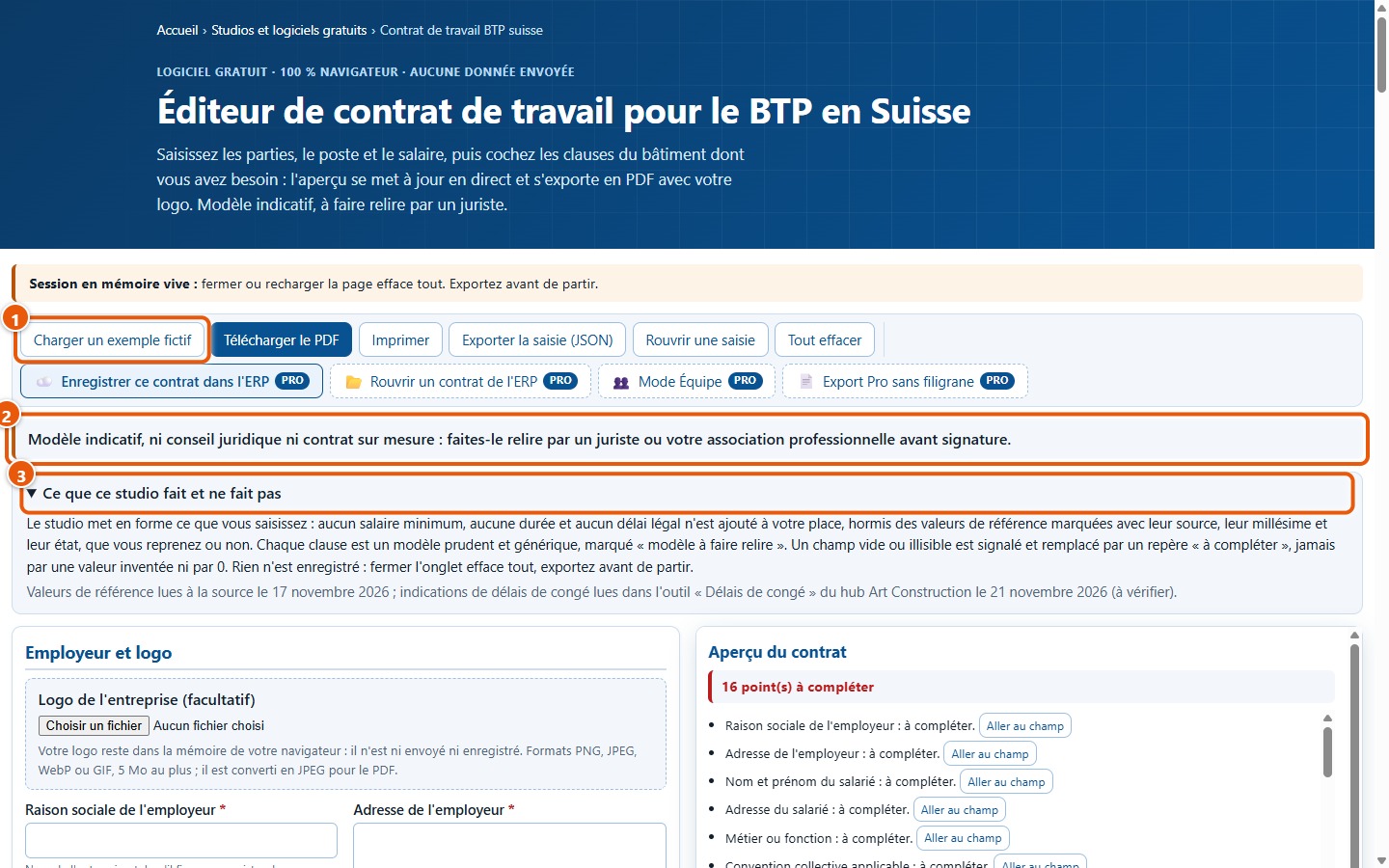
1Open the software
Open the software page. Read the warning (2): the resulting contract is an indicative template. The button Charger un exemple fictif (1) loads the sample.
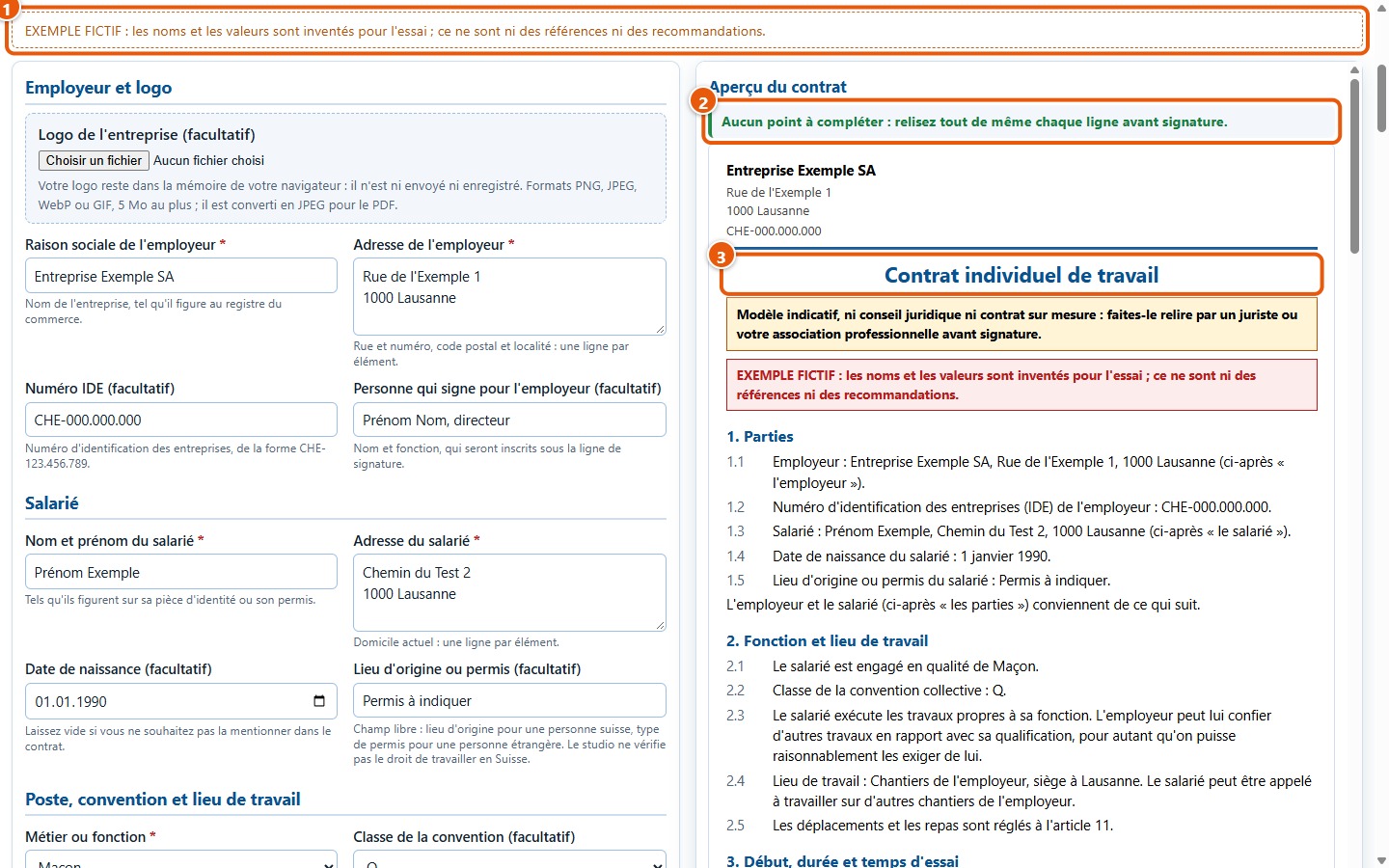
2Load the fictitious sample
Click on Charger un exemple fictif. The form fills in and the contract preview appears on the right, with no items left to complete.
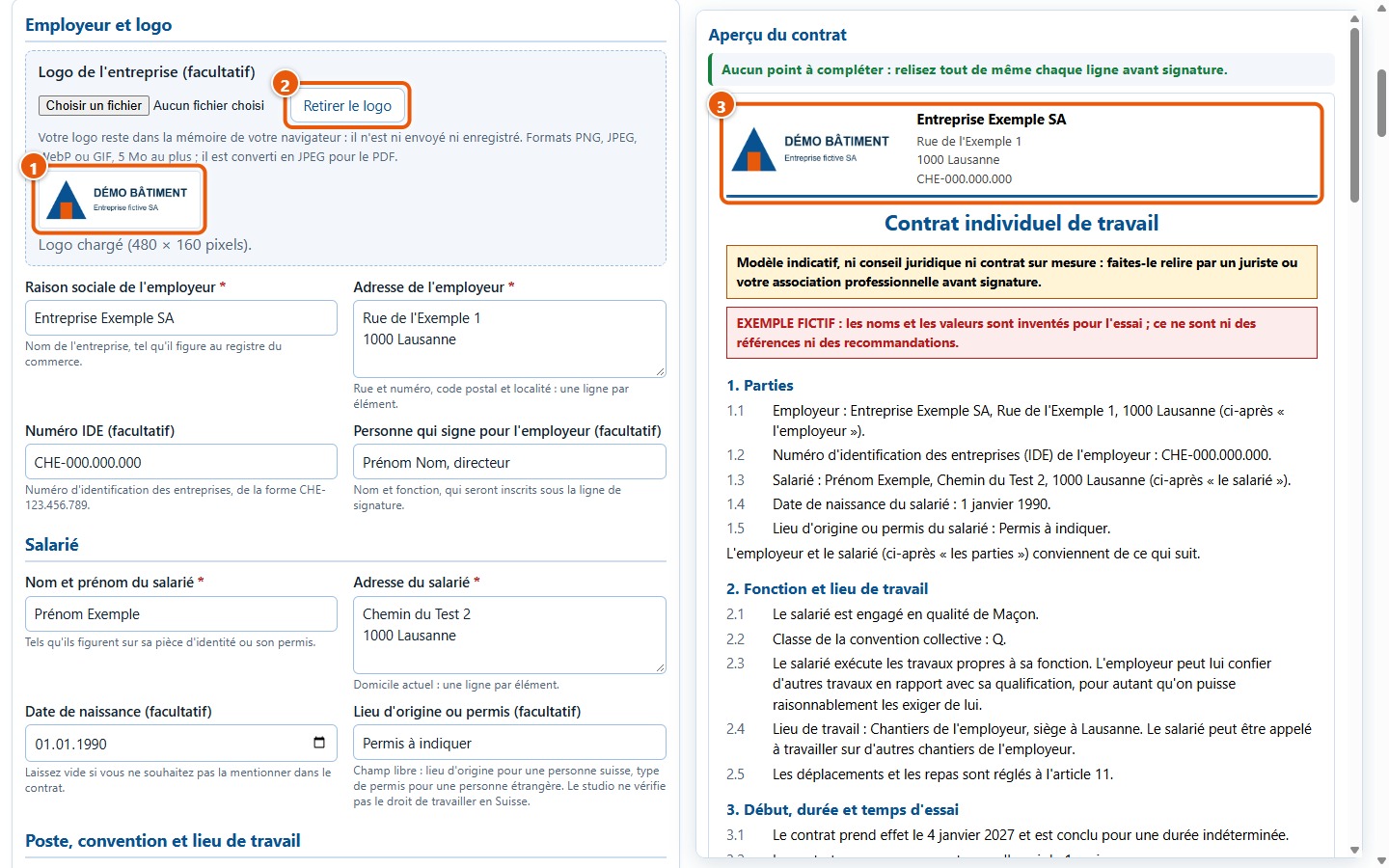
3Add a logo
Choose an image in the logo area: it appears below the field and at the top of the preview. Here, it is a fictitious logo drawn for the trial.
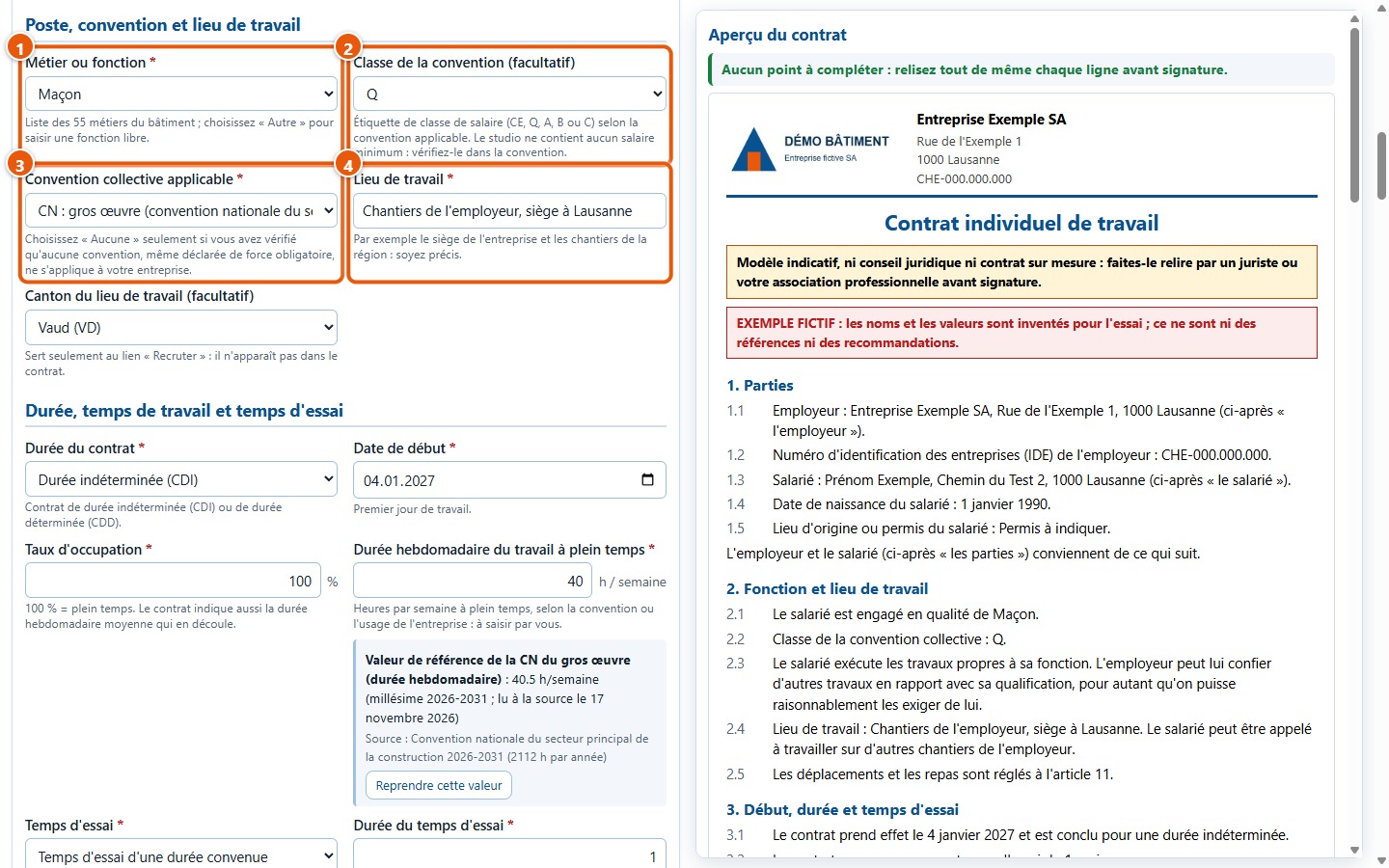
4Check the position and collective agreement
The sample is a bricklayer, grade Q, under the national collective agreement for structural work (CN). Change the trade, grade or collective agreement in the list: the preview updates.
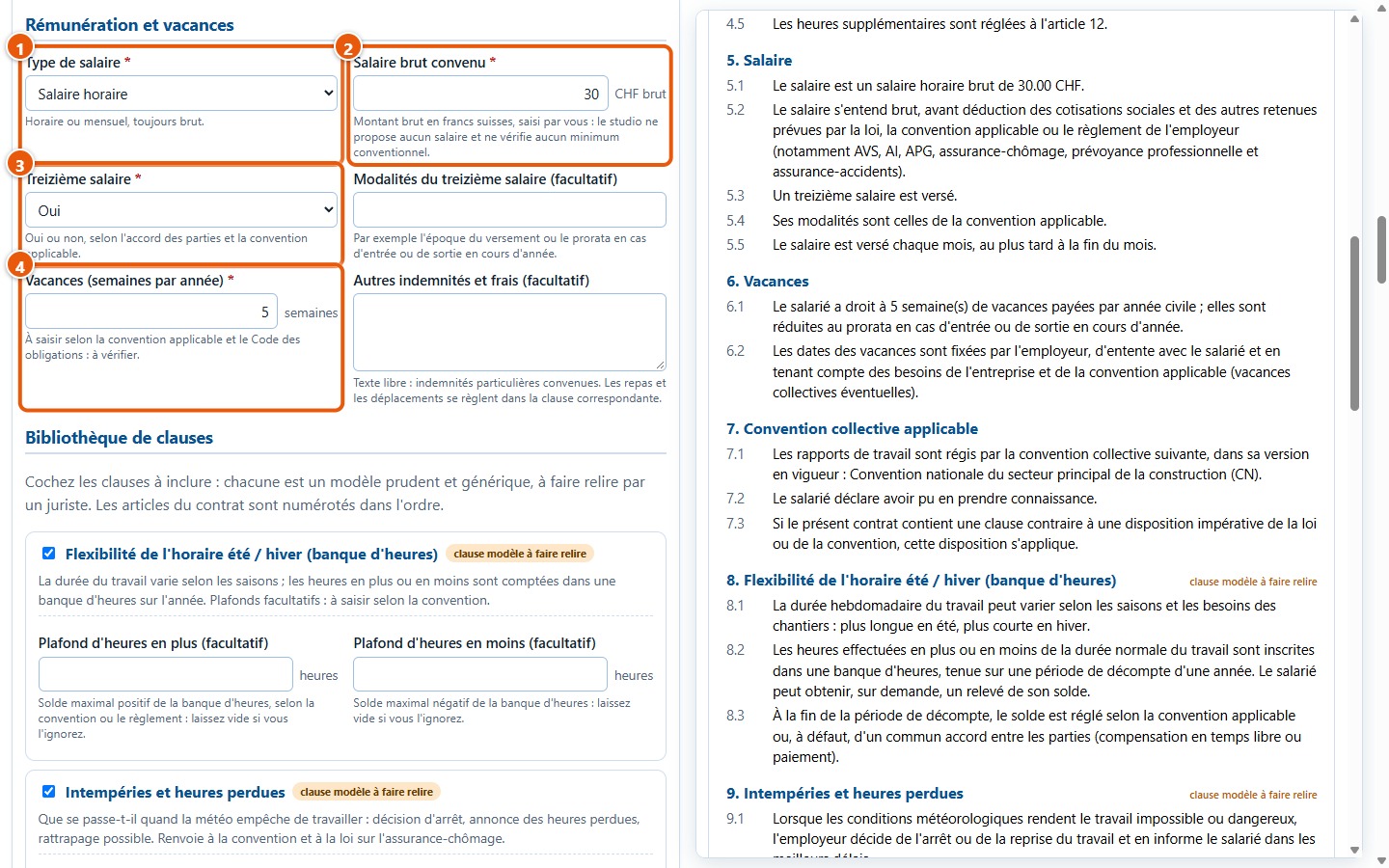
5Check salary and holidays
The gross hourly wage is a round trial figure, not a benchmark. Modify it: the clause « Salaire » in the preview changes immediately.
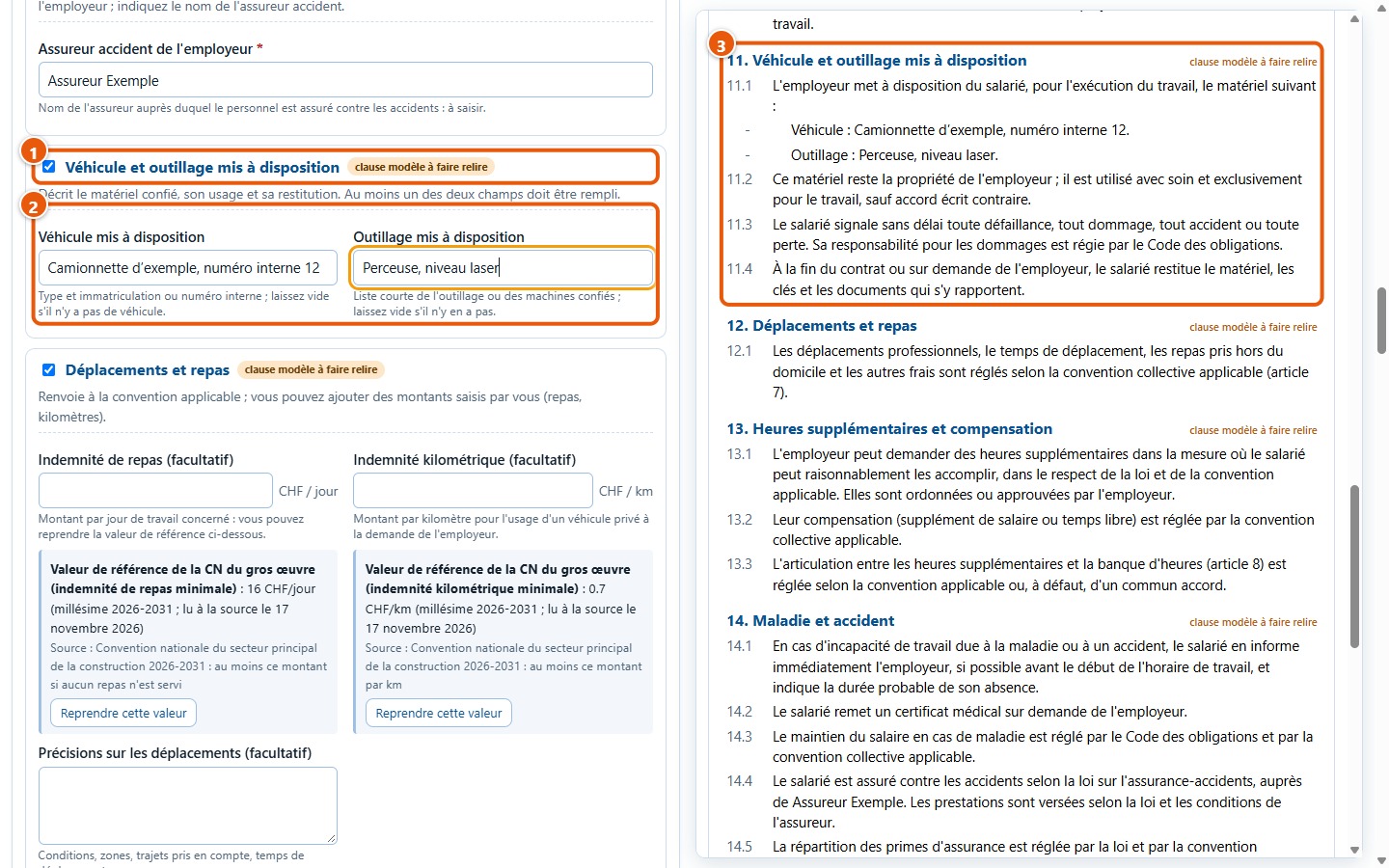
6Tick a clause
Tick for instance « Véhicule et outillage », then fill in its two fields: the corresponding clause enters the contract.
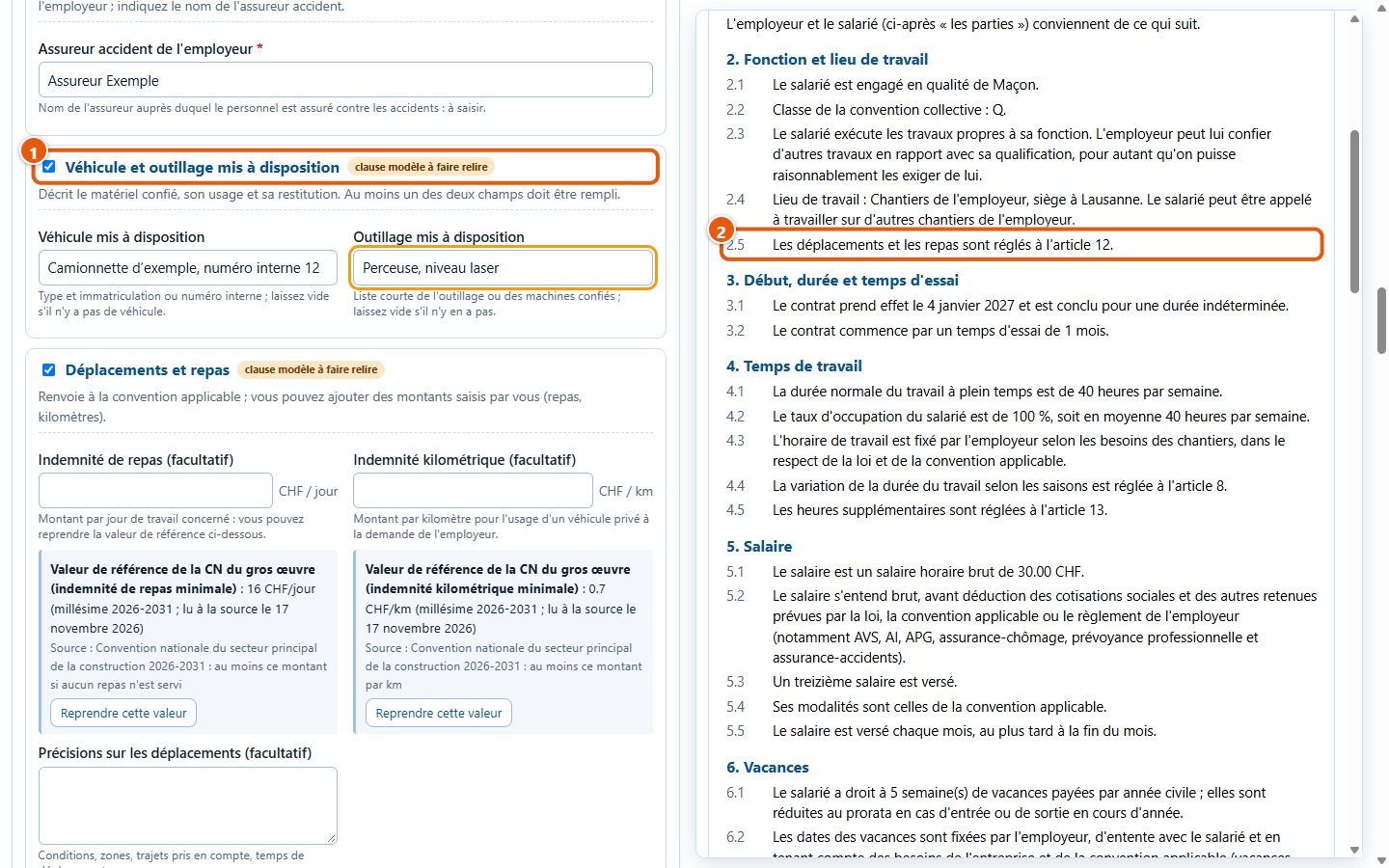
7Check numbers and cross-references
Subsequent clauses are renumbered and cross-references are updated: line 2.5 refers to the new number of the clause « Déplacements et repas ».
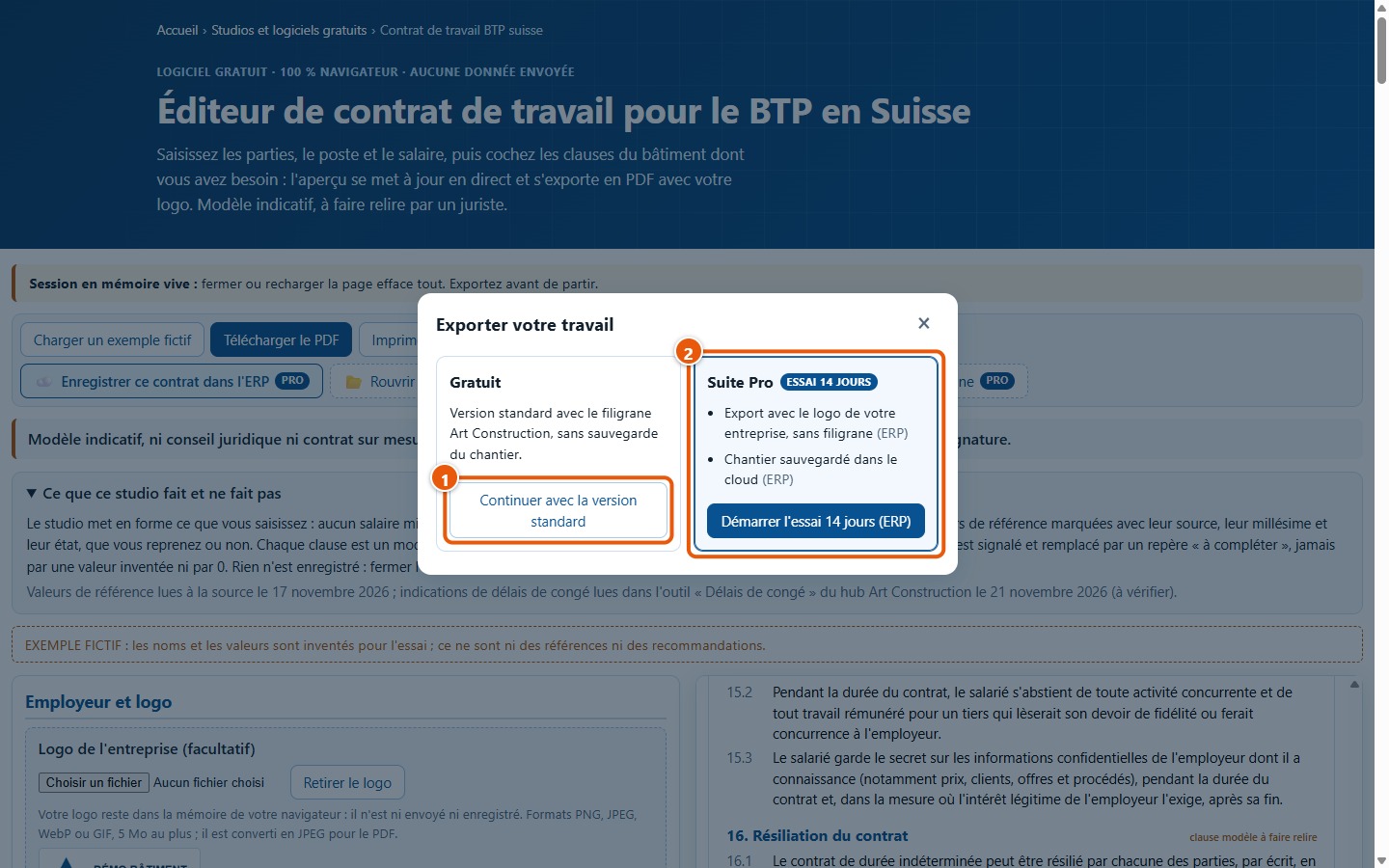
8Download the PDF
Click on Télécharger le PDF, then on Continuer avec la version standard in the window that opens upon the first export.
9Open the PDF
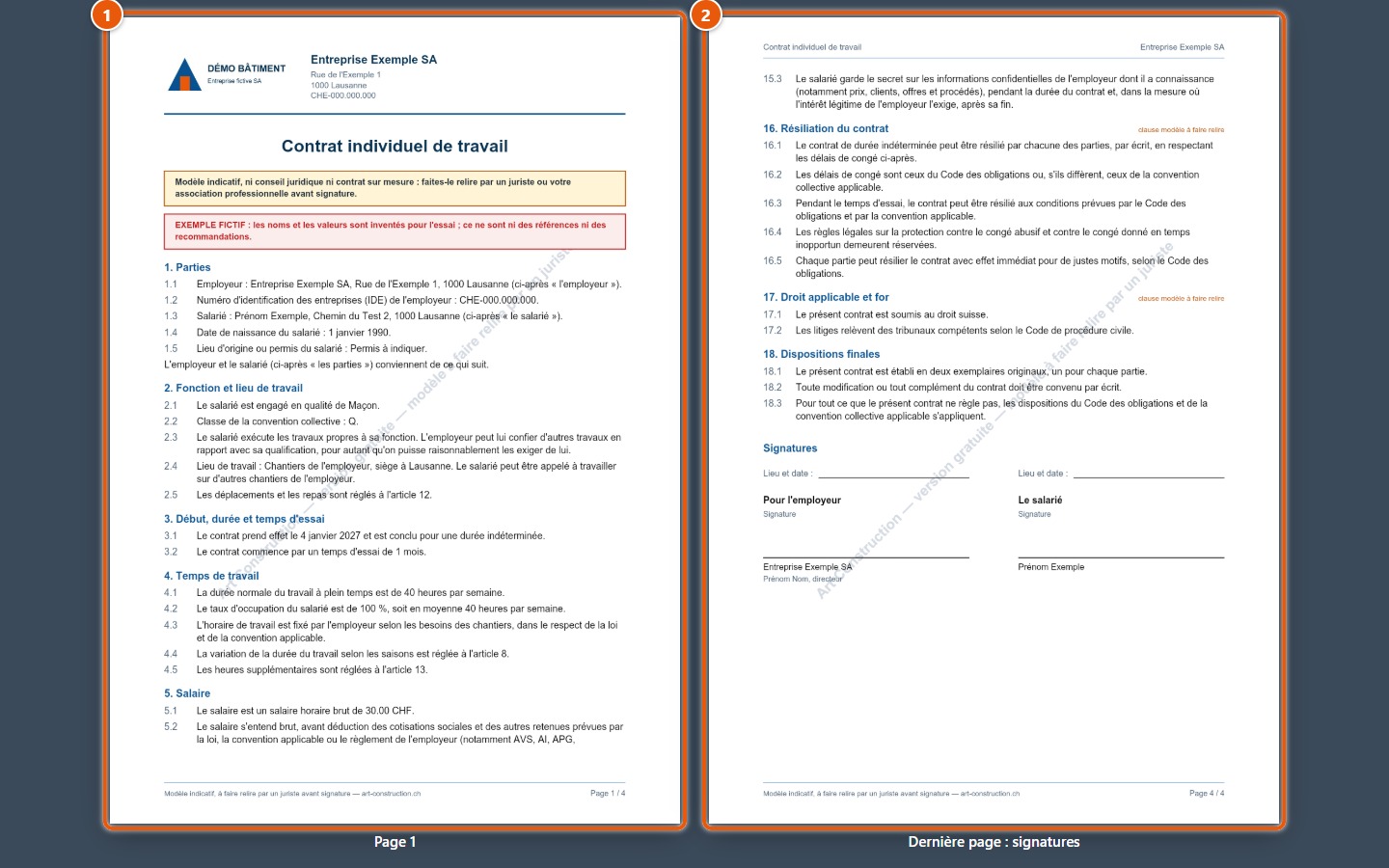
The PDF includes the logo, title, warning, numbered clauses and signature lines. Each page is numbered and carries a grey watermark.
10Keep entries in a file
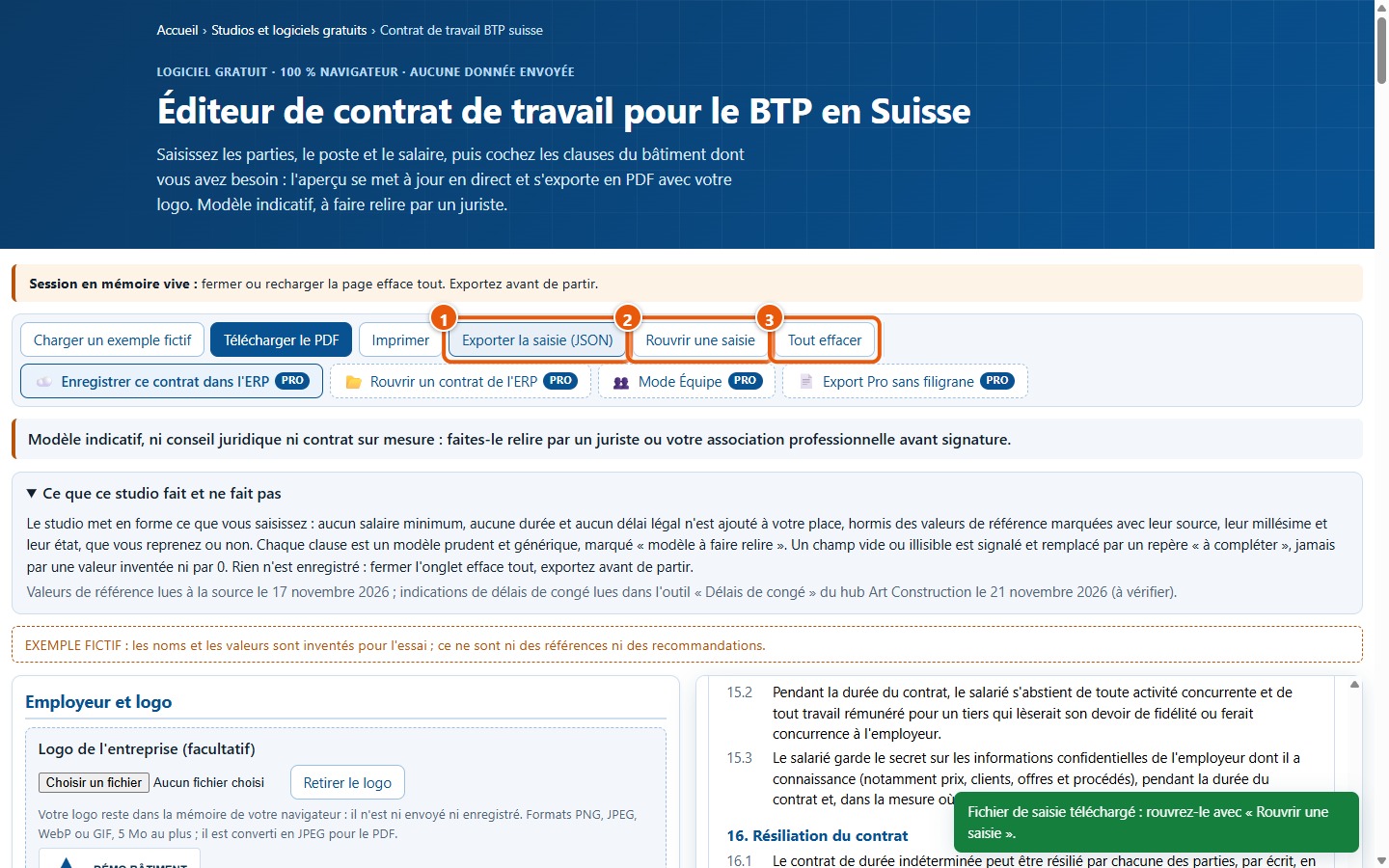
Exporter la saisie (JSON) saves your entries in a file; Rouvrir une saisie reloads them later. The page itself retains nothing.
3. What the demonstration does not show
- It does not show the contract with your company data: the names, addresses and figures in the example are fictitious.
- It does not complete all clauses: eleven clauses exist, the example checks nine of them.
- It does not show printing on paper: only the on-screen print view and the PDF are shown in the guide.
- It does not show the buttons marked « Pro » nor the ERP features.
- It does not replace a review by a legal expert: the example contract is an indicative template.