Demonstration Work permits in Switzerland and CFC qualifications (construction)
This demonstration follows a fictional case from start to finish. You see what the software outputs for each question, then you repeat the same clicks in the software.
1. The sample case
A fictional masonry firm in the canton of Vaud wishes to hire an EU mason who lives abroad and returns home daily. The mason holds an EU qualification and has six years of provable experience. Names, dates, and figures are fictional for testing purposes: none are official. The software opens empty, without a pre-loaded example: repeat the clicks below.
2. The process, step by step
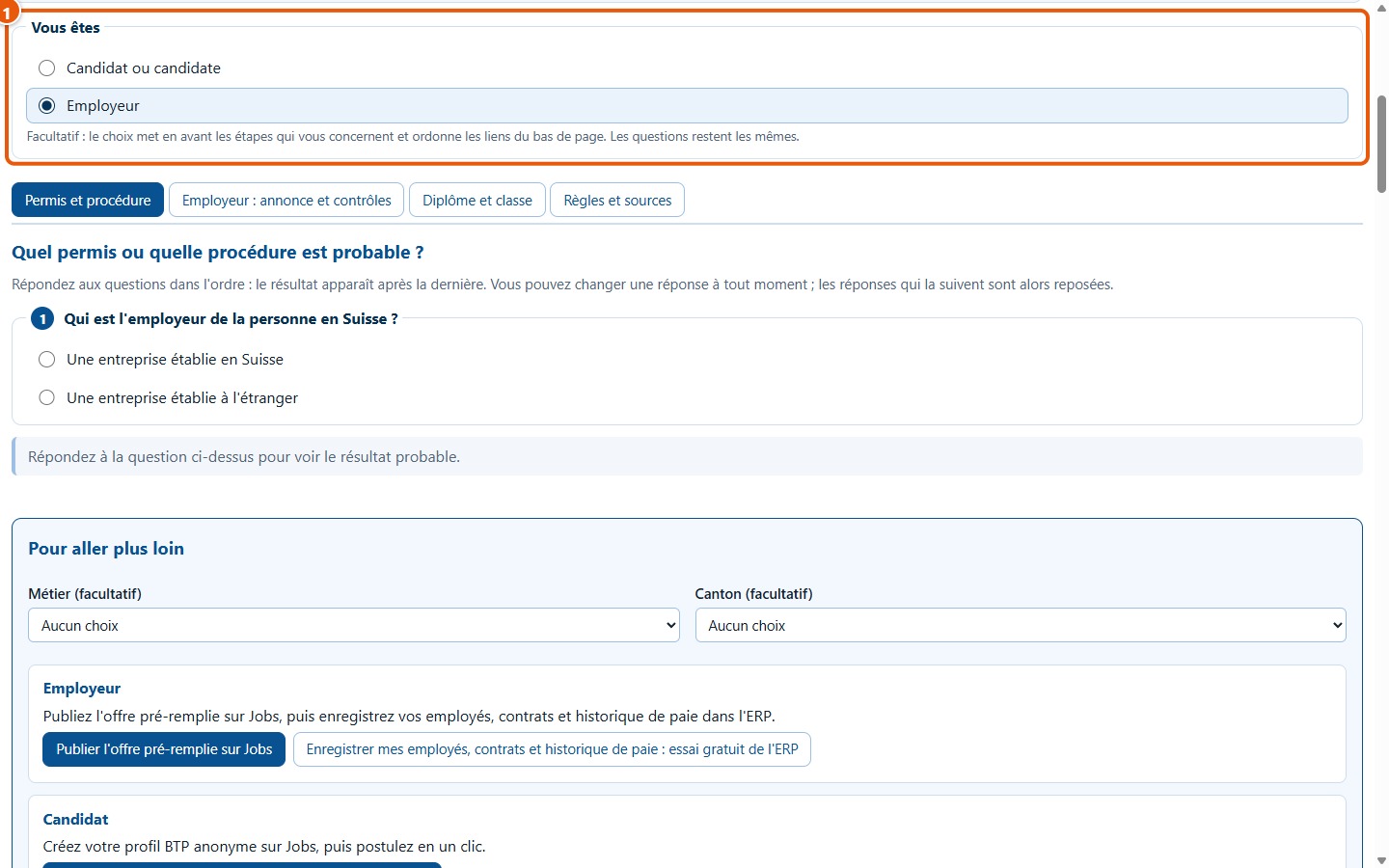
1Choose « Employeur »
Open the software. Under Vous êtes, choose Employeur (1): the steps incumbent upon the employer will be marked “Pour vous”.
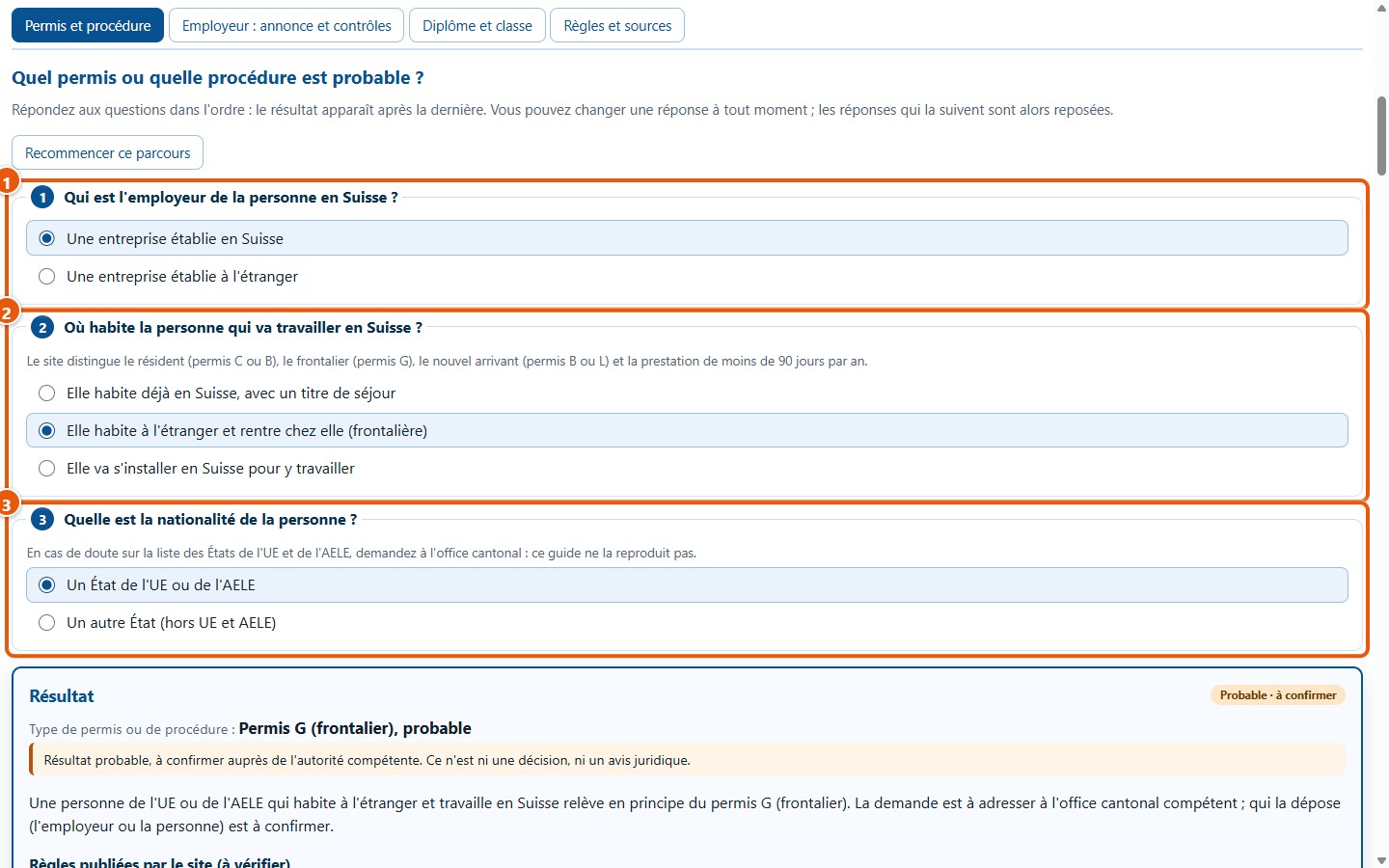
2Answer the three questions
In the Permis et procédure tab: the employer is a company established in Switzerland (1), the person lives abroad and returns home (2), they hold the nationality of an EU or EFTA state (3).
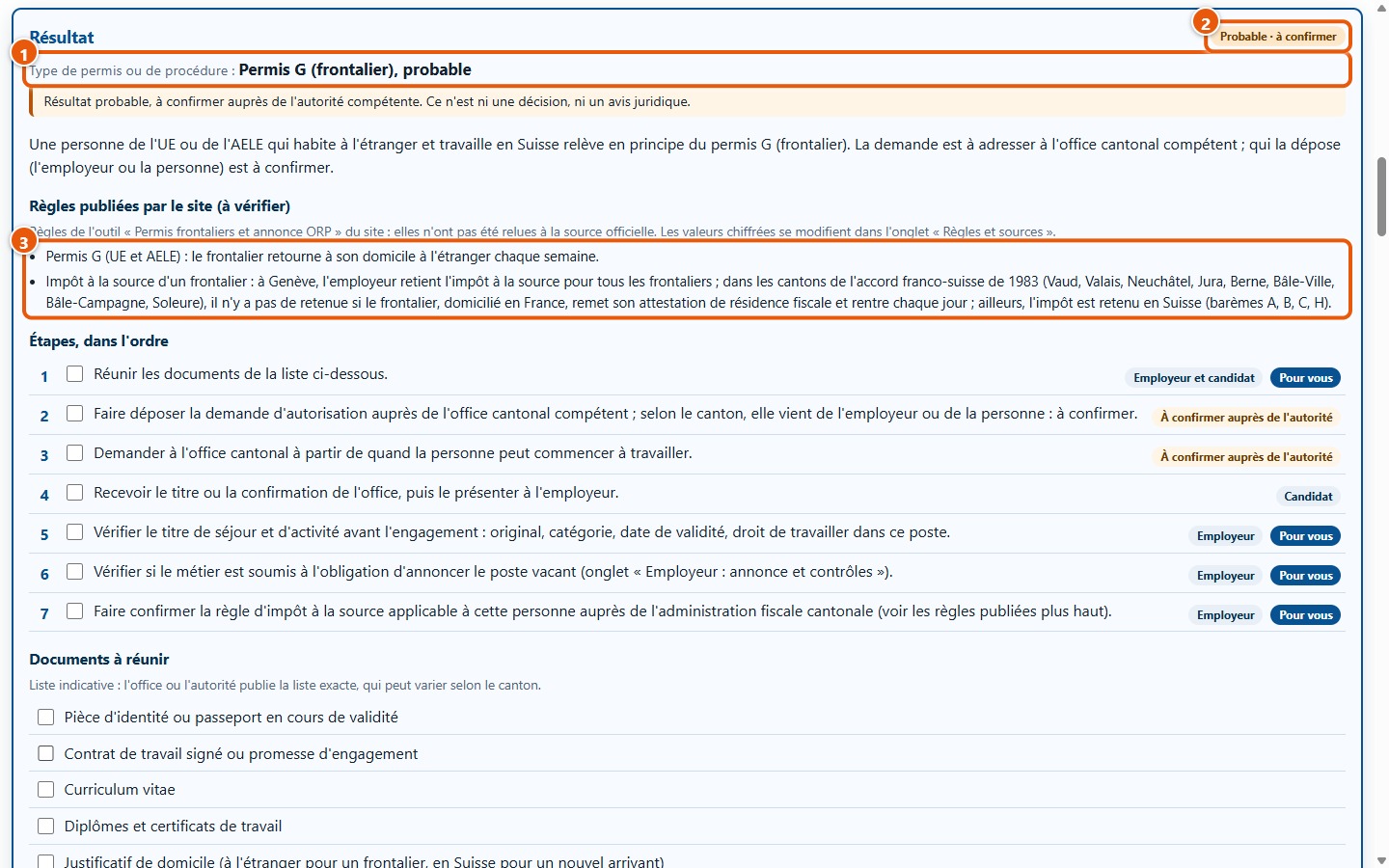
3Read the result
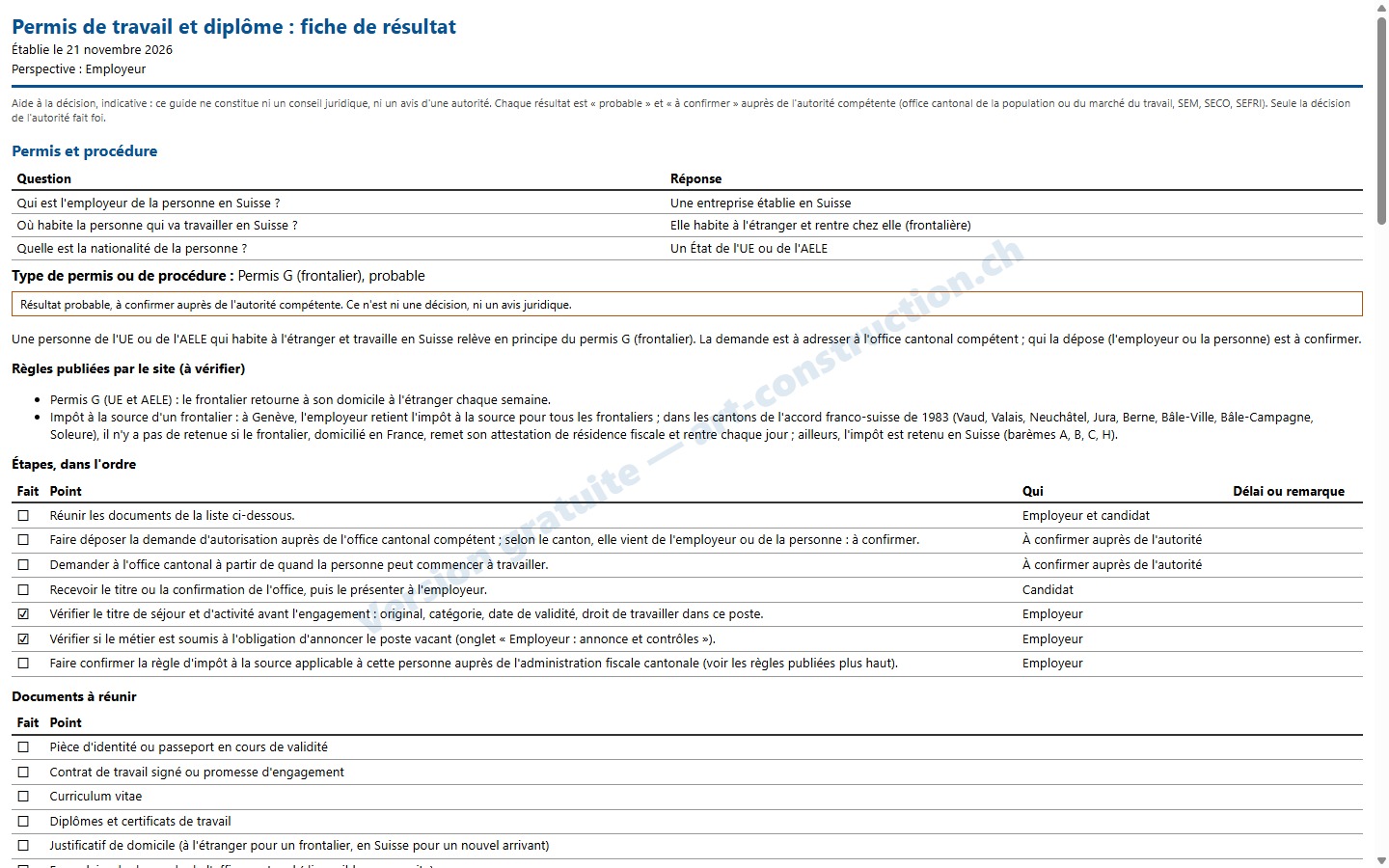
The result is « Permis G (frontalier), probable » (1), with the badge “Probable · à confirmer” (2). Below are the rules published by the site (3), including the withholding tax rule, to be checked with the cantonal tax administration.
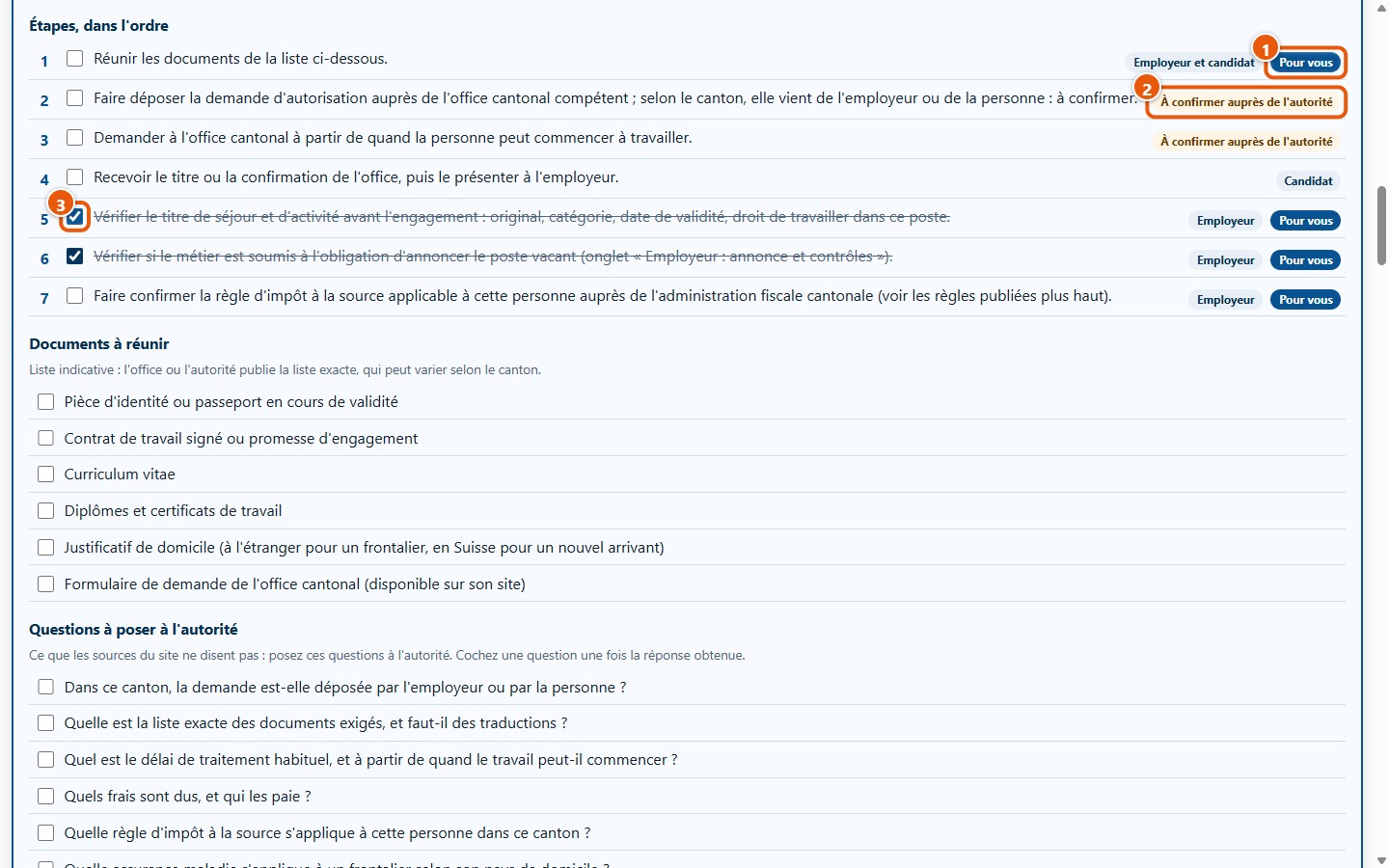
4Follow the steps
The steps are listed in order. The “Pour vous” badges (1) mark those incumbent upon you as an employer. One step depends on the authority: it bears the notice “À confirmer auprès de l'autorité” (2). Tick those you have completed (3): here, verifying the residence permit and checking the job registration duty.
5Prepare questions for the office
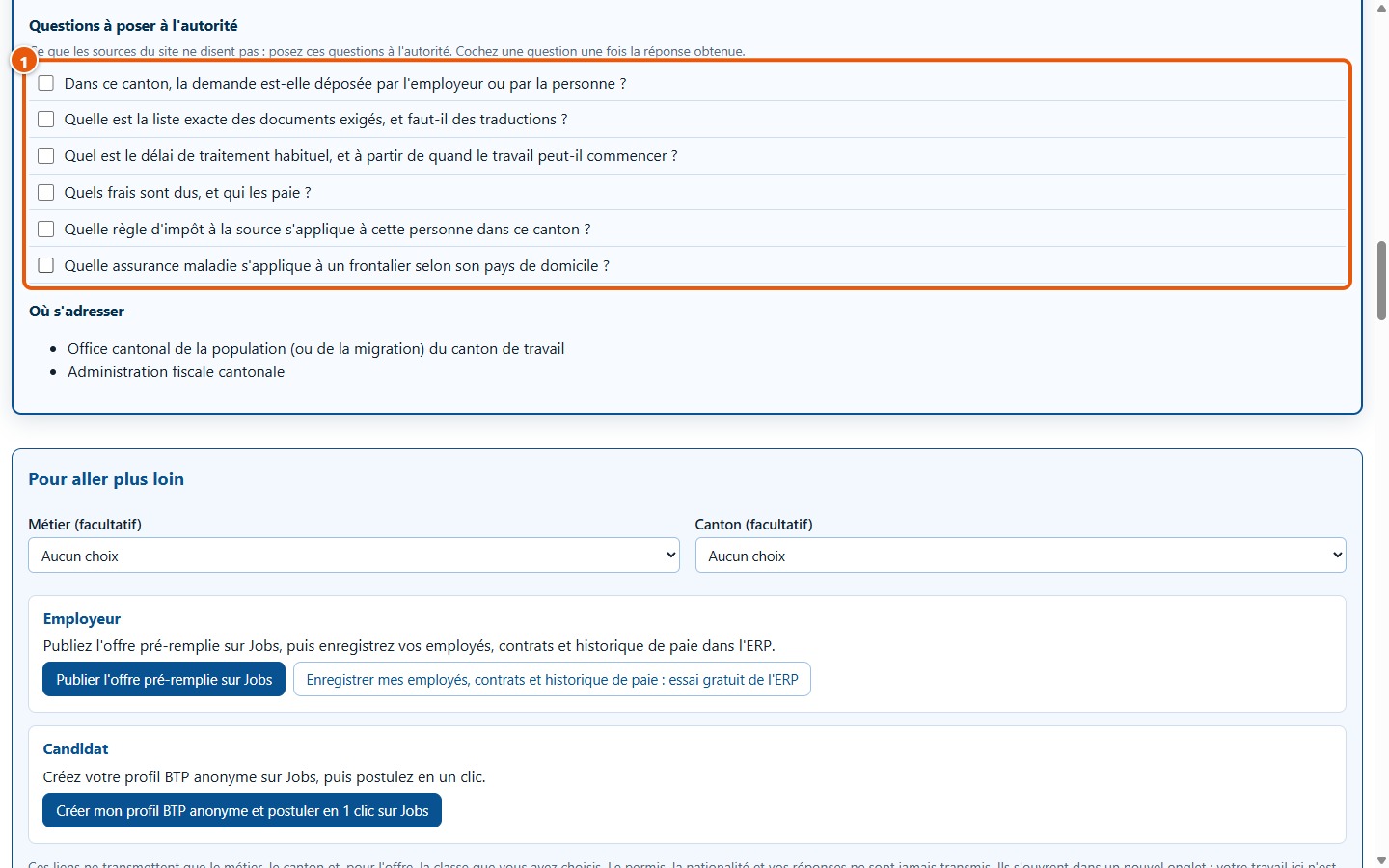
Further down, the list of questions to ask the authority (1): who submits the application, which documents, what deadline, what fees, which withholding tax rule, which health insurance. The software does not answer these questions: it lists them for you, and you tick them off as you go.
6Check if the vacancy must be registered
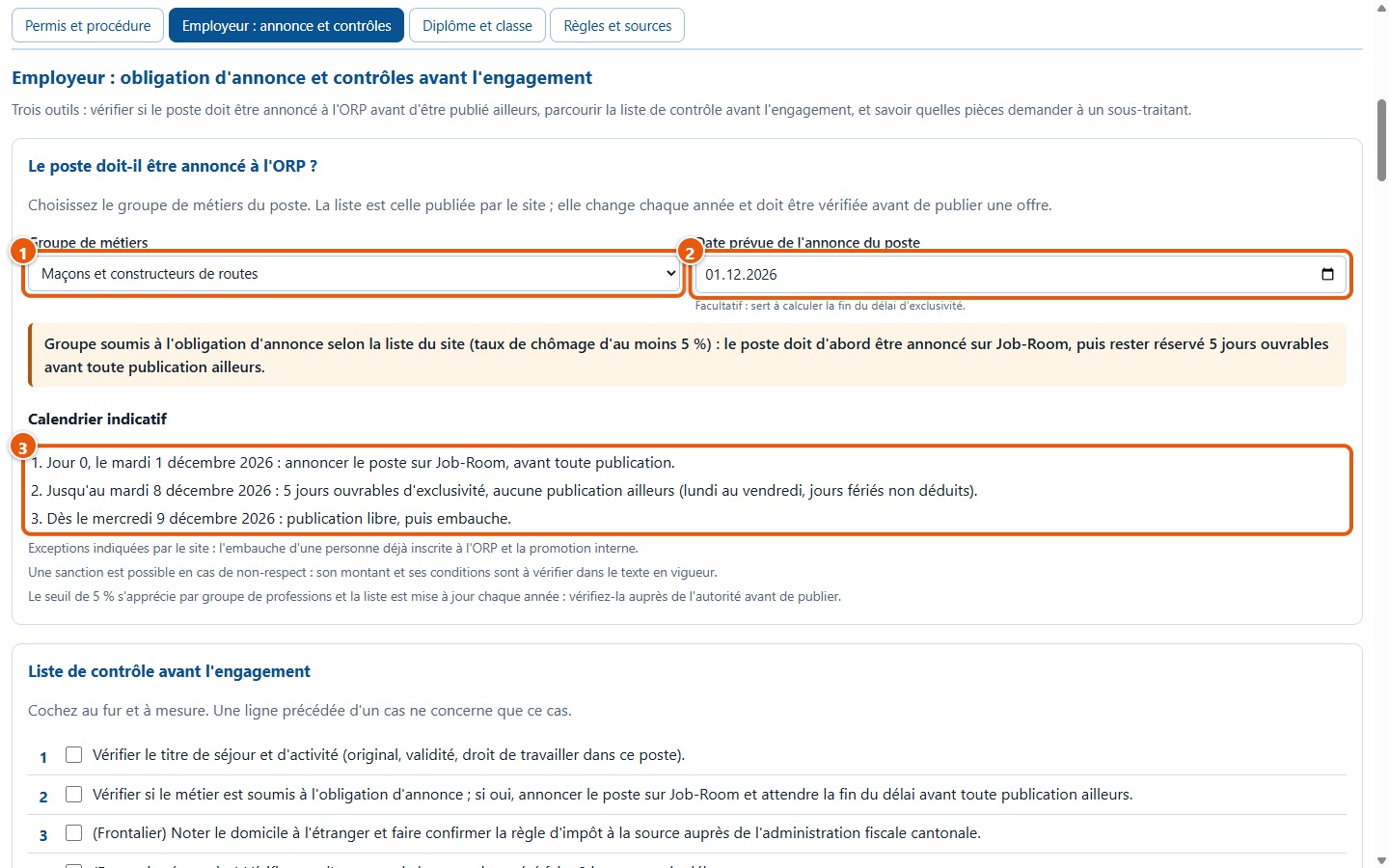
In the Employeur : annonce et contrôles tab, choose « Maçons et constructeurs de routes » (1) and the planned notification date, 1 December 2026 (2). The schedule (3) indicates: notification on 1 December, exclusivity until 8 December, open publication from 9 December.
7Check the diploma
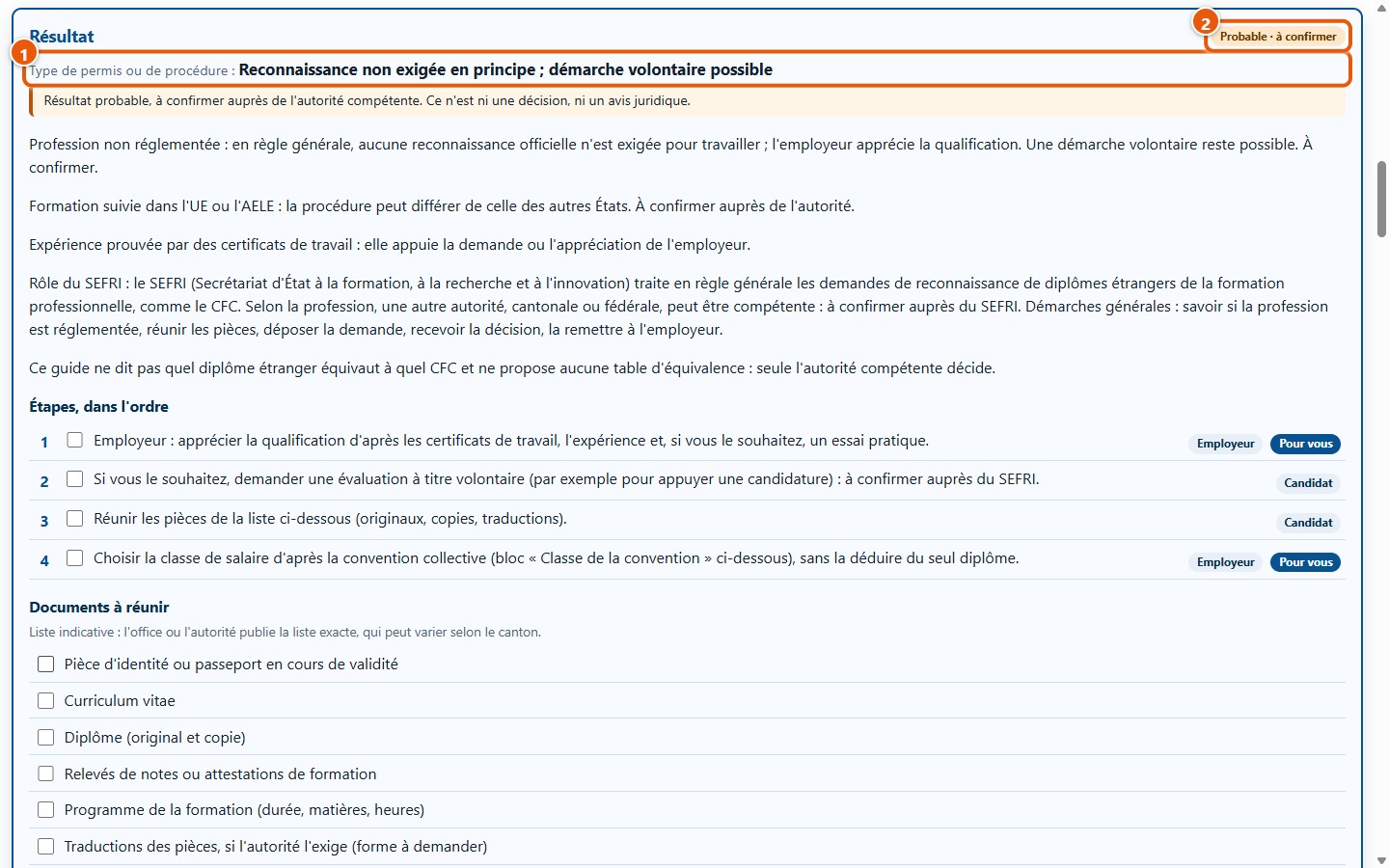
In the Diplôme et classe tab: non-regulated profession, training completed in the EU or EFTA, experience substantiated by certificates. The result (1) is « Reconnaissance non exigée en principe ; démarche volontaire possible », with the badge “Probable · à confirmer” (2).
8Choose the collective agreement class
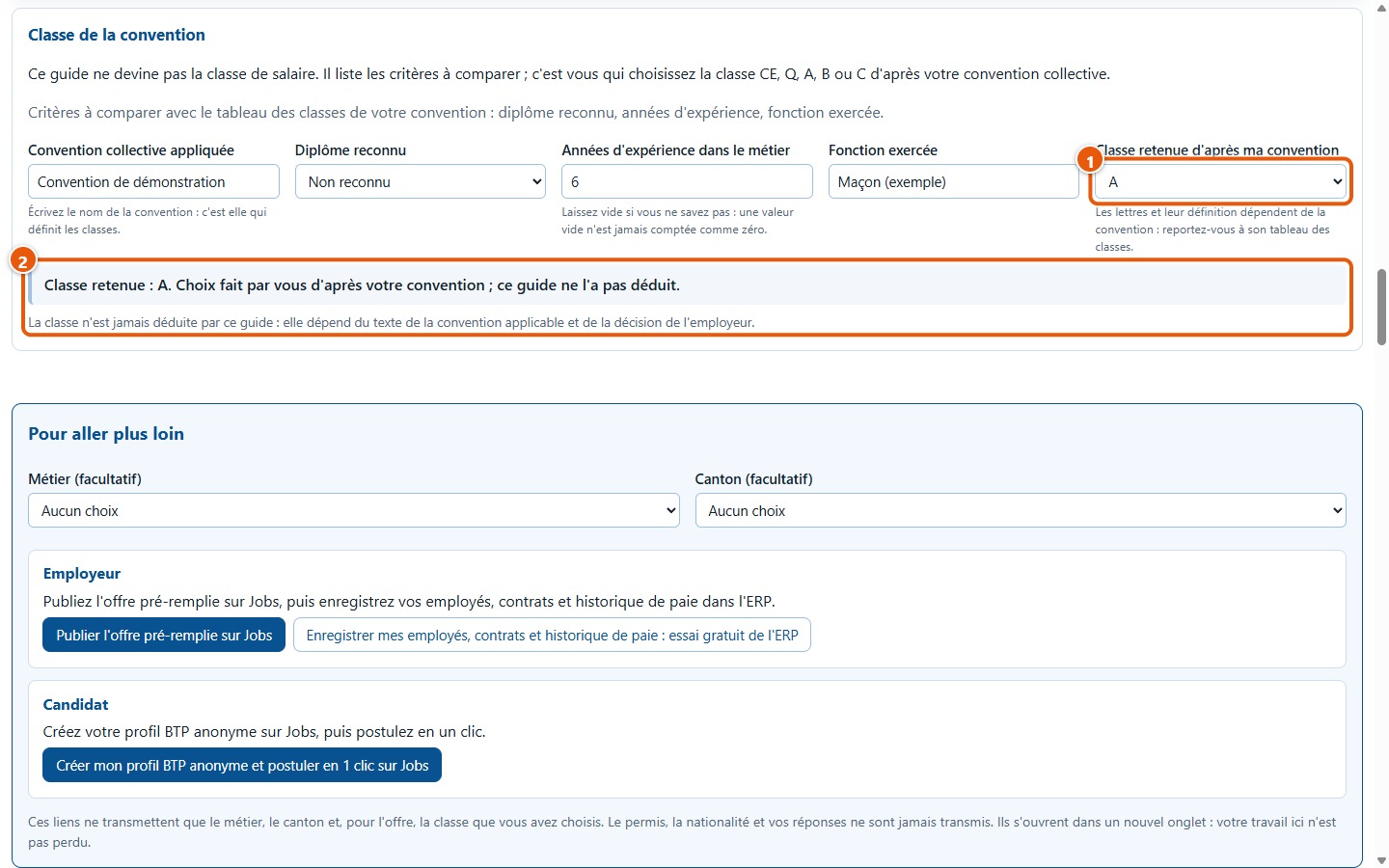
Under “Classe de la convention”, enter an example agreement, the status « Non reconnu », six years of experience, and the job title « Maçon (exemple) ». You select class A yourself (1): the software repeats it (2) and notes that it did not deduce it.
9Print the summary sheet
Click on Imprimer la fiche: the printable sheet includes the pathway (answers, result, ticked steps, documents, questions) and the rules used, with an Art Construction watermark. Here, two steps are ticked.
10Switch to Jobs or the ERP
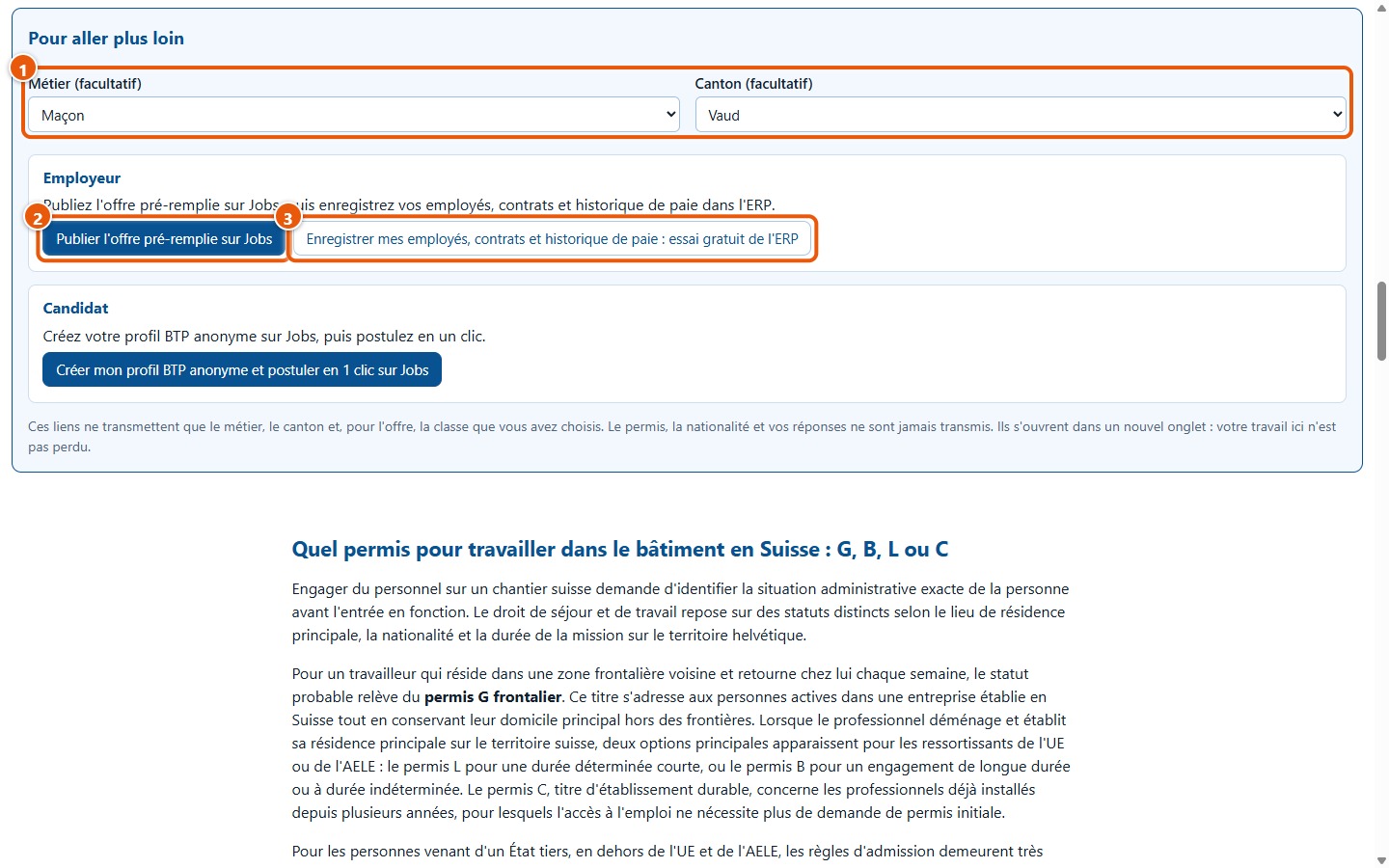
At the bottom of the page, choose the occupation « Maçon » and the canton « Vaud » (1). The link Publier l'offre pré-remplie sur Jobs (2) and that for the ERP (3) open in a new tab. The link address contains only the occupation, the canton, and the selected class A, never the permit or your answers.
3. What the demonstration does not show
- It shows neither the case of a company established abroad (cross-border provision of services notification) nor that of a third-country national: see the user guide.
- It shows neither the export window, nor the CSV file, nor your browser's print dialogue: see the user guide.
- It does not show what happens after clicking on the links to Jobs or the ERP.
- The case is fictional: it is not a decision from an official authority. Results remain « probables » and numerical rules « à vérifier ».
- It is not a pre-loaded example: the software opens blank and you perform the clicks yourself.